
How to Share a Private Family Archive — View-Only Access for Relatives
Want relatives to read your family's archive without giving them permission to edit or delete what you've gathered? Here's how view-only access actually works — what relatives can and can't do, and how to set it up in under five minutes.
Patrick Moore, Founder • May 10, 2026
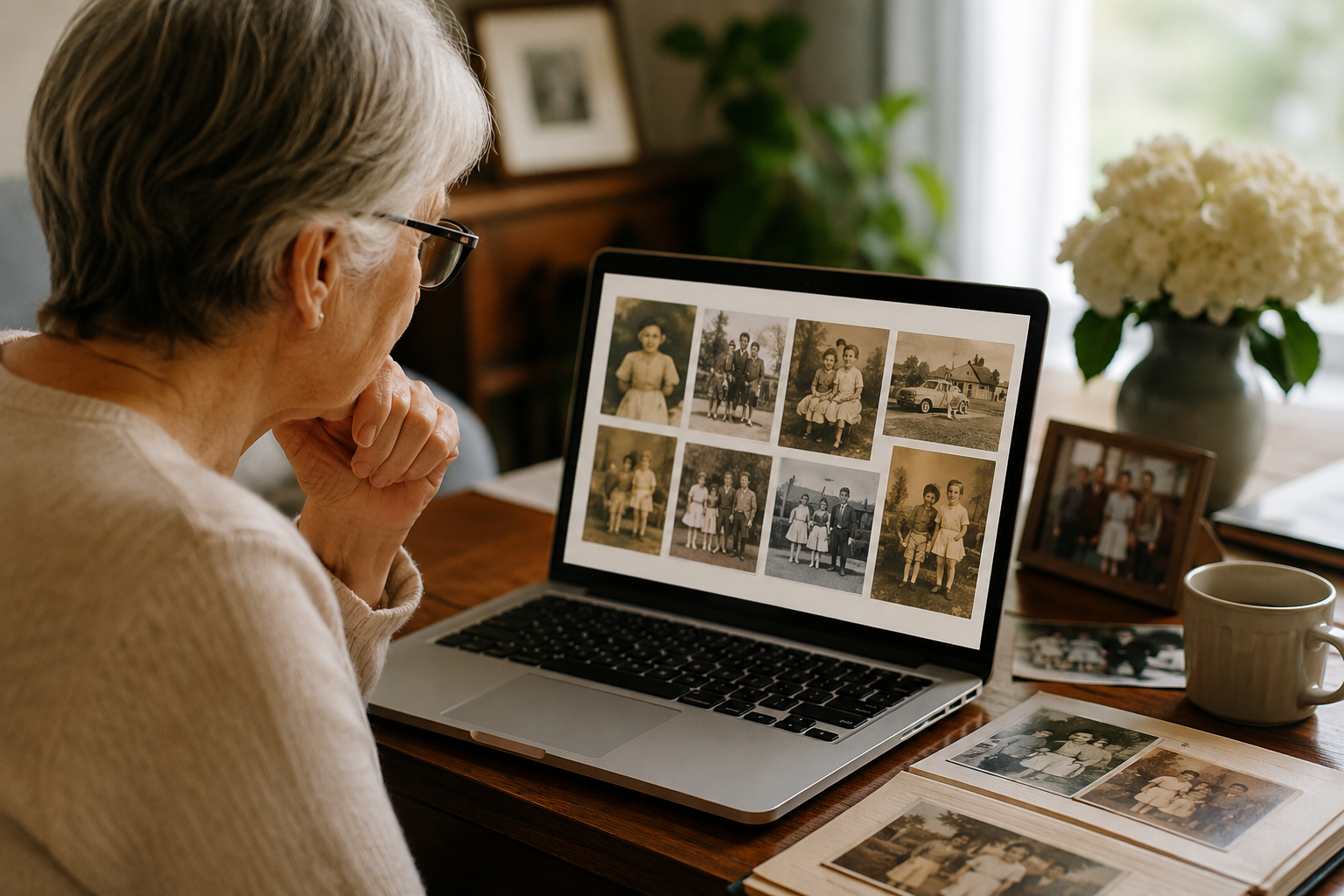
There's a specific frustration that shows up about three months into building a family archive. You've gathered the photos. You've recorded the voice memos. You've invited your sister to take a look — and she helpfully "fixes" a story you wrote about your dad, deletes a duplicate photo that wasn't actually a duplicate, and overwrites a date you'd painstakingly verified. You realize, too late, that "share with the family" and "give the family edit rights" are not the same thing.
This is the gap most family-photo apps don't solve. Sharing tends to mean an open feed — everyone with access can edit, comment, replace, or remove anything. Which works fine for a casual photo group chat. It doesn't work for a multi-decade archive that your kids and their kids are going to read someday. The archive is shaped by editorial choices — what stays, what's removed, what gets context — and editorial choices need an editor.
This post is about how to actually share a family archive in a way that lets relatives read without giving them permission to change what they read. It's a practical how-to grounded in the Memory Murals permission model, but the principles apply to any tool that takes the editor-and-readers distinction seriously.
Why "share with the family" usually means giving up the archive
Most photo apps default to one access level. iCloud Photos shared albums let everyone with a link add, delete, or comment. Google Photos shared albums work similarly. FamilyAlbum and Tinybeans let invited members post their own content. None of these are bad — they're just shaped for the photo-feed use case, where the goal is collaborative posting rather than a curated archive.
The trouble starts when the project grows past a feed. A real family archive — the kind that holds voice recordings of your grandfather, the photos with carefully written context, the stories assembled over years — needs editorial coherence. If anyone in the family can edit anything, the archive drifts:
- Photos get re-cropped or filtered into a state you didn't intend.
- Stories get edited for grammar but lose the speaker's actual voice.
- Duplicates get "cleaned up" — and so do near-duplicates that weren't actually duplicates.
- Dates get changed when a relative remembers the year differently and decides to "correct" yours.
- A cousin discovers they can delete photos they don't like of themselves.
Three months in, the archive doesn't reflect what you built. Six months in, you give up.
The fix isn't to stop sharing — it's to share with the right permission level. Relatives need to read, not necessarily to edit. Some relatives need to contribute their own stories without touching yours. The permission model needs to map to the family relationships actually involved.
The five things a "view-only" relative should be able to do
When you grant view-only access to a relative, here's what they should be able to do:
- Read every memory you've shared with them — photos, voice recordings, written stories, video.
- Listen to audio recordings — full playback, not just transcripts.
- Search the archive — by person, date, event, or keyword.
- Download a memory for personal use — sometimes useful when a relative wants a copy of a specific recording or photo for their own files.
- See who else has been invited — the social context of the archive matters; relatives should be able to see their cousin or aunt is also in the archive.
And here's what they shouldn't be able to do without explicit owner approval:
- Edit or delete a memory you've added.
- Add new memories of their own (unless you've granted that as a separate permission).
- Change titles, dates, or descriptions on existing memories.
- Re-tag photos or move memories between sections.
- Change family-member profiles or relationships.
- Invite additional people to the archive.
The split looks obvious written out, but most family-photo apps don't make it. View-only is treated as a light-weight option for "people who probably won't contribute much" rather than a structural permission level.
The view-only model in practice
In Memory Murals, every invited relative gets a per-feature permission set. The owner of the archive (you) controls every permission individually. The default model when you invite a new family member is granular checkboxes for what they can see — Timeline, Calendar, Life Threads, Legacy stories, and Ask-Questions access in the Legacy section — and no separate edit/delete toggles for invitees because edit and delete authority lives with the owner by design.
Practically, this means:
- You control the archive. You're the one who labels memories, fixes typos, removes duplicates, and decides what gets kept.
- Relatives read what you grant them access to. Each invitee can see only the sections you've enabled for them. The aunt who shouldn't see private journal entries doesn't see the Legacy section. The cousin who only wants to scroll the Timeline doesn't get cluttered with everything else.
- Multiple permission tiers naturally emerge. Spouse: full access. Adult kids: full access except for the most personal Legacy entries. Extended family: Timeline and Calendar only. Friends-of-the-family: a single shared event link. Each person can have a permission set tailored to your relationship with them.
The principle: the family-archive owner stays the editor of the archive, the way the museum curator stays the curator and visitors are visitors. Visitors aren't a lesser category — they're just the other half of the relationship, and the museum works because the two roles are distinct.
Setting up view-only access in Memory Murals
Open Settings → Manage Access
From your account, go to the access management area. You'll see a list of relatives currently invited and their permissions.
Invite the relative by email
Add their email address. They'll receive an invitation link they can open on any device — no Memory Murals account required to view (they'll be guided through a quick verification step the first time).
Choose what they can see
Toggle each section: Timeline, Calendar, Life Threads, Legacy. You can also fine-tune within Legacy whether they can see questions you've answered. Leave any section off and that relative simply won't see it.
Save — and audit later
Save the permissions and the invitation goes out. You can revisit permissions any time. Common pattern: invite with conservative defaults, expand later as you learn how the relative actually uses the archive.
Three permission patterns most families end up with
Over hundreds of family archives, three permission patterns tend to emerge:
Pattern 1 — The single editor with everyone else as viewers. Most common in archives anchored by one person who's done the heavy lifting (gathered photos, recorded voices, written stories). The editor stays the editor. Spouses and adult kids get full visibility but no edit rights. Extended family gets Timeline and Calendar only. This is the cleanest model for a multi-decade archive.
Pattern 2 — Two co-editors, everyone else viewers. Common with married couples building a shared archive. Both spouses have edit access. Their adult kids get full visibility. Aunts, uncles, cousins, in-laws get view-only. Two editors is workable; three is usually where coordination starts failing and the archive drifts.
Pattern 3 — One editor, plus a contributor sub-tier. Some families want certain relatives to be able to add their own stories without touching anyone else's. Memory Murals supports a contributor permission for this — the relative can record their own stories and tag them to themselves, but can't edit or delete what others have added. Useful when a sibling wants to record their own version of a family story alongside yours, without overwriting either.
Pick the pattern that matches your family's actual dynamics. Most families overestimate how many editors they need. The archive almost always benefits from having fewer editors than feels intuitive.
When to grant which permission level
Some specific situations and what permission level usually fits:
The grieving relative who wants to read about a deceased parent. View-only on Timeline and Legacy. They can read the stories and listen to the voice recordings, but the archive of their parent's life isn't restructured every time they're in a difficult moment. (See our guide for grieving families for the broader context.)
The sibling who tells the story differently than you do. Contributor access. They can record their version of the family story and have it sit alongside yours rather than replacing it. The archive becomes richer for the multiple perspectives without anyone losing their own.
The aunt or uncle who knows names you don't. Contributor on photos specifically (so they can add captions and tag themselves and others) but view-only on stories. They fill in the context you couldn't, without rewriting the stories you carefully captured.
The grandchild too young to manage the archive but old enough to read it. View-only on Timeline. They can scroll through the family's history without accidentally deleting something or changing a date. As they grow up, expand the permissions.
The friend-of-the-family who wants to see one specific event. Single-event share link rather than a full archive invitation. Memory Murals supports per-event share links that don't require the recipient to have any account — useful for guests at a wedding, reunion, or celebration of life. (For weddings specifically, our day-of guide on collecting guest photos covers the QR-code playbook for capturing photos from every guest, not just emailing albums after the fact.)
What relatives think about being view-only
The most common worry families have about granting view-only access is that relatives will feel slighted — like being told they're not trusted. In practice, this almost never happens. The phrase "view-only access for relatives, full editing control for me" is something most family members understand immediately, because they've all been on the wrong side of an "anyone can edit" group document at some point. The asymmetric permission model isn't a status statement; it's a shape statement about who's editing the archive.
If anything, view-only access sometimes lowers participation pressure. Relatives can read freely without feeling responsible for contributing. Many families have a few "primarily-readers" alongside one or two "primarily-contributors" and the natural division works without anyone feeling left out.
For the families thinking about this from the other direction — wondering whether to ask their adult parent who's building the archive for full edit access — the answer is usually no. Let the editor edit. Read what they've built. Suggest changes by text rather than by editing directly. The archive ends up better when there's a clear editor-and-reader relationship, even within a family.
The archive that lasts is the one with an editor
The reason this matters more than it seems: the family archives that survive twenty or thirty years are almost always the ones with a clear editor. Not because editors are better than committees, but because an archive needs decisions — what stays, what gets removed, what gets context. Decisions are easier with one editor than with five.
View-only access for relatives isn't a way of locking the family out. It's a way of letting the family read the archive without asking everyone to also be its editor. The relatives who genuinely want to contribute can be granted contributor access. Everyone else gets the simpler relationship: the archive is there for them to read, and someone else is responsible for keeping it coherent.
For the broader question of how to design a family archive that's actually durable across decades — not just shareable today — see our walkthrough on building a permanent digital legacy that lasts.
If you've been hesitating to share your archive because you're worried about losing control of it, the answer is to pick the right permission level rather than to keep it private. Share it. Let the family read it. Just keep the editorial decisions where they belong.
For the broader category context, our comparison of the best family archive apps covers which tools support real permission tiers versus which collapse everything into one access level. And if privacy in general is the bigger question — keeping the archive away from social media and advertiser data sales — see our roundup of private family photo sharing apps for the comparative landscape.
If you're the one in your family doing the editorial work — gathering, organizing, deciding what stays — our hub for solo archivists gathers the tooling and reading list specific to that role.
Ready to set up view-only access for your family? Try Memory Murals free → — full permission controls included from the base plan, no credit card required.
Get 50 questions to ask your parents — before the stories are gone
The exact prompts families use to draw out the stories nobody ever wrote down. Free, straight to your inbox.
No spam. Unsubscribe anytime.
Frequently asked questions
What is view-only access for a family memory archive?
View-only access lets a relative read, search, and listen to memories in your family archive without giving them permission to edit, delete, or change what you've gathered. They can see photos, voice recordings, and stories, and download for personal use, but the structure of the archive stays under the owner's control. Most family-photo apps don't offer this distinction by default; tools built for long-term archives like Memory Murals do.
Why would I want view-only instead of full edit access?
Because a multi-decade family archive needs editorial coherence. If everyone with access can edit anything, the archive drifts — photos get re-cropped, stories get edited, duplicates get 'cleaned up' that weren't actually duplicates. View-only access for relatives keeps the archive readable by the family while letting one person (or two) maintain it as a coherent record. The split mirrors how a museum works: the curator curates, visitors visit.
Can my whole family contribute photos and stories without giving them editing rights to mine?
Yes, on tools that support a contributor permission level distinct from full editor access. Memory Murals supports this — relatives can record their own stories and tag photos they upload, but can't edit or delete anything you've added. Their contributions sit alongside yours rather than overwriting them, which is usually what families actually want when they say 'let everyone contribute.'
How do I revoke view-only access if a relative no longer needs it?
Open the Manage Access section of your account, find the relative in the list of invitees, and remove their access. They lose the ability to view the archive immediately. They don't keep cached copies of your photos or recordings on their device once access is revoked. You can re-invite them later if circumstances change.
Can view-only relatives still download photos or recordings?
Yes — view-only typically allows downloading for personal use. The relative can save a specific photo or audio file to their own device, but the file in your archive remains untouched. This is intentional: relatives often legitimately want a personal copy of a specific recording (their own grandparent's voice, for example) without needing edit access to the archive.
What's the difference between view-only access and a public link?
A public link makes content viewable by anyone who has the link, including people who weren't invited. View-only access is invitation-only — only specific named relatives you've invited can see the archive. Public links work for one-off shares (a single photo, a wedding event everyone is attending). View-only access is for the ongoing relationship with relatives who should be able to read the family's archive over the long term.
About the author
Patrick Moore, Founder of Memory Murals
Patrick Moore is the founder of Memory Murals. He built it after realizing how much of his own family's history had quietly slipped away — to help families preserve their stories, voices, and photos while they still can.
Related Stories

Comparisons
The Best Private Family Photo Sharing Apps in 2026 (Honest Facebook Alternatives)
Most families already know they want off Facebook. The real question is where to go. We compared the 8 most popular private family photo sharing apps — honestly, with the tradeoffs that actually matter.
Patrick Moore • April 10, 2026
Comparisons
Digital Family Archive vs Photo Albums: Why the Shoebox Under Your Bed Isn't Enough Anymore
Your family photos are fading, your stories are unrecorded, and your kids can't find anything. Here's why a digital family archive does what photo albums never could — and how to build one without losing what makes physical keepsakes special.
Patrick Moore • April 3, 2026
How-To Guides
How to Create a Digital Estate Plan for Your Family Memories
What happens to your family's digital photos, videos, and stories when you're gone? Recent news about data breaches and changing cloud services highlights the need for a plan. This guide offers practical steps to create a digital estate plan specifically for your family memories, ensuring they are preserved and passed on securely.
Patrick Moore • August 10, 2026
Now give it somewhere to live.
The file you just saved outlasts nothing on its own. Put it where your family can still find it in thirty years.