
How to Record Video Interviews With Relatives
Video captures what audio can't — the hands, the smile, the way they look off camera remembering. Here's how to record video interviews with relatives simply and well, and keep the footage where it won't be lost.
Patrick Moore, Founder • July 1, 2026
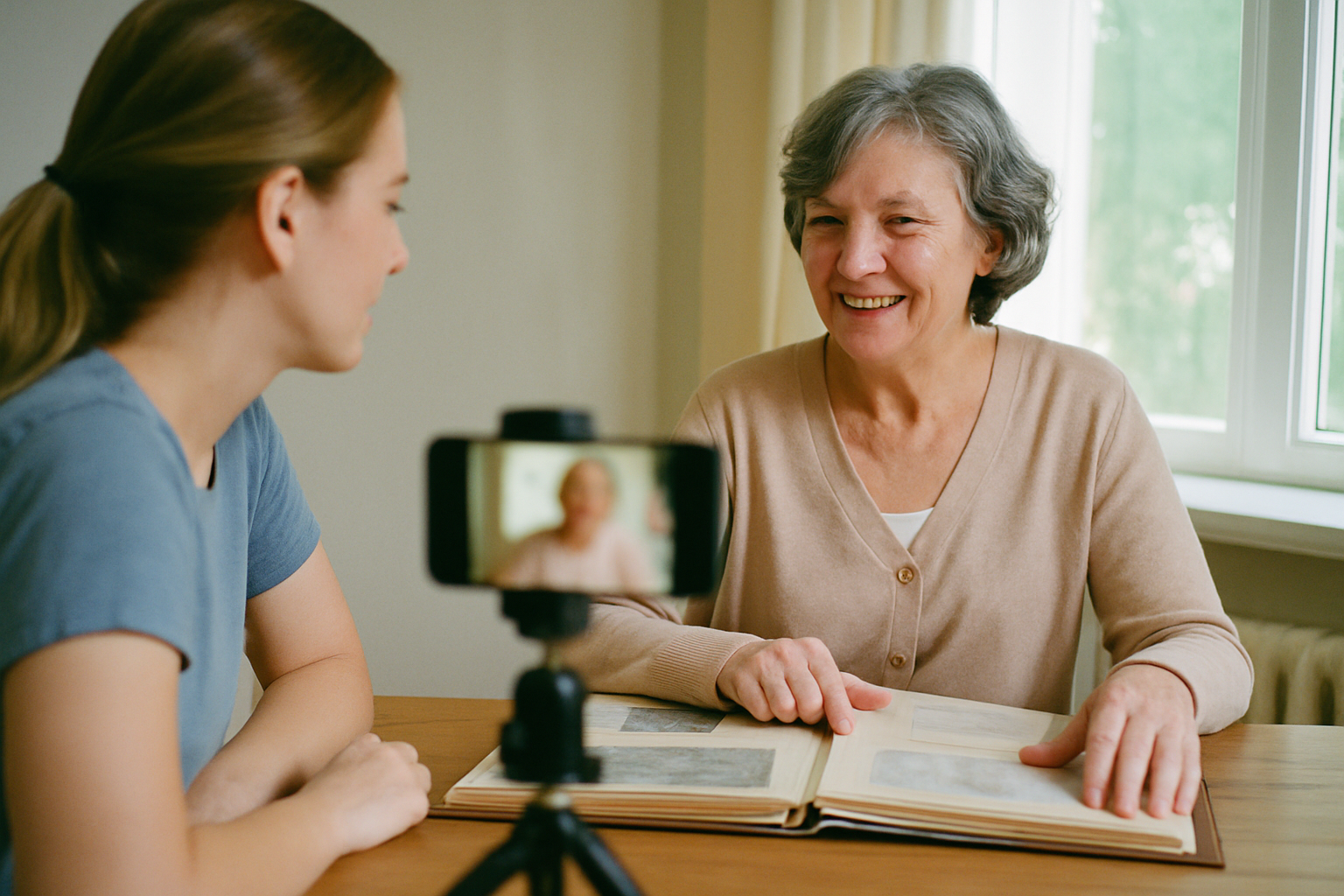
We filmed my father-in-law eight months before he got sick. Nothing fancy — a phone propped on a stack of books, a clip-on mic from a $19 kit, an hour on a Sunday afternoon. He told the story of hitchhiking across the country in 1968 with twelve dollars and a guitar he couldn't really play.
I've listened to plenty of family audio recordings. This is different. When he gets to the part about the truck driver who fed him for three days, his whole face changes — he looks up and to the left, the way people do when they're actually back there. You can't hear that. You can only see it. That thirty seconds of footage is worth more to my kids than every document in the family tree.
Video is the highest form of preserving a person, and it's far more achievable than most people assume. Here's how to do it well without turning it into a production.
The 30-second answer
To record a good family video interview: use a smartphone on a small tripod, a clip-on lav mic for clear audio, and a window in front of the person for light. Sit slightly off to the side so they talk to you, not the lens; frame from the chest up; ask open-ended questions and let silences breathe. Keep sessions to 45–60 minutes and record several rather than one marathon. Then back up the footage in two places and keep it with a transcript so it stays findable — video files are large and the easiest family memory to lose. Gear matters less than comfort, light, and audio.
This guide is specifically about the video — the gear, framing, and footage. For the deeper craft of drawing out stories, we have a dedicated complete family interview guide, and this pairs with it rather than repeating it.
What equipment do you actually need?
Almost certainly less than you own already. The trap is thinking you need a "real camera." You don't. You need stable framing, good light, and clear sound — in that order of what people get wrong.
A smartphone (you have this)
Any phone from the last few years shoots video that will look great for generations. Shoot horizontal (landscape), not vertical — it frames a seated person better and ages well on TVs and computers. Clear enough storage or record straight to the cloud so you don't run out mid-story.
A small tripod or stand ($15–30)
The single biggest quality upgrade. Handheld footage is shaky and distracting; a locked-off, steady frame looks intentional and calm. A cheap phone tripod or even a stack of books against a wall does the job.
A clip-on lav mic ($15–40)
The thing most people skip and most regret. Built-in phone mics pick up room echo and make voices sound distant — a real problem with soft-spoken elderly relatives. A cheap lavalier clipped to their collar fixes it instantly. If you buy one thing on this list, buy this.
Light from a window or lamp
Put the light source in front of them, never behind. A big window to the side or slightly in front gives soft, flattering light for free. Avoid a bright window behind them (it turns them into a silhouette) and harsh overhead lights (they cast shadows under the eyes).
How do you set up the shot so it looks right?
Three quick rules turn "someone filming grandpa" into something that looks composed and lasts. None of them require any skill — just a minute of setup before you hit record.
How to frame a family video interview
A repeatable setup for a warm, well-composed interview shot.
- 1
Pick a familiar, quiet room
Choose a comfortable, meaningful space with soft light and no background noise (fridge hum, TV, ticking clock all ruin audio); a familiar room relaxes the person.
- 2
Position the light in front
Seat them facing a window or lamp so their face is lit; never put a bright window behind them or they'll be a silhouette.
- 3
Frame chest-up, eyes high
Set the phone at their eye level, framing from the chest up with their eyes in the top third of the screen; shoot horizontal.
- 4
Sit beside the camera
Place yourself just next to the lens so they look at you, not into the camera — it reads as a natural conversation, not an interrogation.
- 5
Clip on the mic and test
Attach the lav mic to their collar, record 20 seconds, and play it back to check audio and framing before you really start.
- 6
Hit record and leave it
Start recording and don't stop-start between questions — one continuous take is easier to keep and feels more natural.
How do you get them to actually open up on camera?
The camera makes people stiff for about five minutes, then they forget it's there — if you let them. The technique is the same as any good interview, just with a lens present: ask for specific stories, not summaries, and follow the energy.
"Tell me about the day you met Mom" gets you a story. "What was your marriage like" gets you a shrug. When they light up at a memory, stay there — "what happened next?" is the most powerful question you can ask. And let silences sit; the best answers almost always come after an uncomfortable pause you're tempted to fill.
You'll want a prepared list of questions so you never freeze, but treat it as a map, not a script. Our questions to ask your grandparents is a ready-made starting set, and the dedicated interview guide linked above goes deep on the craft of drawing people out.
Record now, perfect never
The most common regret in this whole category isn't shaky footage or bad lighting — it's the interview that never happened because someone was waiting for a better camera, more time, or the "right" moment. A phone-and-window recording you actually make beats the perfect setup you never get to. If there's a relative whose stories you'd miss, book the Sunday afternoon this month.
How do you store and share family interview videos?
Here's where a lot of beautiful footage quietly dies: it sits on one phone until the phone is lost, upgraded, or full. Video files are large and singular — treat them like the irreplaceable originals they are.
One copy is no copy
A video that exists only on the phone you filmed it on is one cracked screen away from gone. Keep at least two copies in two places — your computer or an external drive plus a private cloud archive is the simple version. Label every file with who it is, when it was filmed, and the topics covered, so it's findable in twenty years instead of being "some video, somewhere."
The most durable setup keeps the footage, a transcript, and the context together in one private place the whole family can reach with permission — not locked on one device. A private family archive is built exactly for this: the video sits alongside a searchable transcript (our voice transcription feature turns the spoken interview into findable text automatically), so future generations can both watch the person and search what they said. For how video interviews fit alongside your family's photos, letters, and documents, see the family history preservation overview.
The bottom line on family video interviews
Use the phone in your pocket, a cheap tripod, a clip-on mic, and a window. Frame chest-up with the light in front, ask for specific stories, and let the silences breathe. Then back the footage up in two places with a transcript, so the one thing you can never re-shoot — a person, on camera, telling their own story — is safe. Video is the closest thing we have to keeping someone. It's worth the Sunday afternoon.
Ready to keep your family's video interviews safe and searchable? Start your family archive free →
Get 50 questions to ask your parents — before the stories are gone
The exact prompts families use to draw out the stories nobody ever wrote down. Free, straight to your inbox.
No spam. Unsubscribe anytime.
Frequently asked questions
What equipment do I need to record a family video interview?
Less than you think — a modern smartphone on a small tripod, an external clip-on (lavalier) microphone, and a window for light will beat most setups. The phone's camera is more than good enough; the two things that actually matter are stable framing (a $20 tripod) and clear audio (a cheap lav mic, because built-in phone mics pick up room echo). If you want to step up, add a second phone for a wider angle and a soft lamp to fill shadows. You do not need a real camera to make a family video that lasts.
How do I record a good video interview with an elderly relative?
Keep it comfortable and low-pressure: film in a familiar room, sit slightly off to the side so they talk to you and not the lens, use open-ended questions, and let silences breathe — the best answers come after a pause. Keep sessions to 45–60 minutes so they don't tire, and record several short sessions rather than one marathon. Frame from the chest up with their eyes in the top third, put the light in front of them (never a bright window behind), and clip on a lav mic so their voice is clear even if they speak softly.
How is a video interview different from just recording audio?
Video captures everything audio misses — the hands moving as they talk, the smile that appears at a certain memory, the way they glance away when it gets emotional, what the room and their face actually looked like. For future generations who never met the person, seeing them is profoundly different from only hearing them. Audio is easier and still valuable, but if the relative is willing and able, video preserves the whole person. Many families record video and also keep a transcribed text version so the stories stay searchable.
What questions should I ask in a family video interview?
Start easy and chronological (where they grew up, what the house was like), then move to specific stories rather than summaries — 'tell me about the day you met' beats 'what was your marriage like.' Ask about turning points, hard times they got through, advice they'd give, and the people who shaped them. Follow the energy: when they light up, stay there and ask 'what happened next.' Use a prepared list so you don't freeze, but treat it as a map, not a script.
How should I store and back up family interview videos?
Video files are large and easy to lose, so keep at least two copies in two places — for example, on your computer or an external drive plus a private cloud archive — rather than trusting one phone. Store the master at the highest quality you recorded, label each file with who, when, and the topics covered, and keep it somewhere the whole family can access with permission, not locked on one person's device. A private family archive that holds the video alongside a searchable transcript is the most durable option, because the footage and the context stay together.
About the author
Patrick Moore, Founder of Memory Murals
Patrick Moore is the founder of Memory Murals. He built it after realizing how much of his own family's history had quietly slipped away — to help families preserve their stories, voices, and photos while they still can.
Related Stories
Pillar Articles
Family History Preservation Services vs. Genealogy Platforms: Which Actually Protects Your Old Documents?
Ancestry and MyHeritage help you research a family tree. Legacybox and EverPresent digitize your originals. Neither one preserves the story behind the documents. Here's how the three categories actually differ — and how to pick for securing old family papers.
Patrick Moore • July 1, 2026
Pillar Articles
How to Record Your Family's Life Stories: The Complete Interview Guide (2026)
A complete, practical guide to recording your family's life stories — who to ask, what to ask, how to ask without making it weird, and what to do with the recordings once you have them. Built from the methods that actually work, not the ones that look good in articles.
Patrick Moore • May 16, 2026

How-To Guides
How to Ask Family Members for Old Photos (With Scripts to Copy)
The photos you want are in someone else's closet. Here's how to ask relatives for them so they actually say yes — who to ask first, what to ask for, word-for-word scripts, and what to do when someone won't let the originals leave the house.
Patrick Moore • September 11, 2026
Now give it somewhere to live.
The file you just saved outlasts nothing on its own. Put it where your family can still find it in thirty years.