
How to Record a Phone Call on iPhone or Android
iPhone, Pixel and Samsung phones can now record calls without an extra app. Here's how each one works, where the recording ends up, the consent rules to know, and how to use a phone call to save a parent's or grandparent's stories in their own voice.
The Memory Murals Team • October 16, 2026
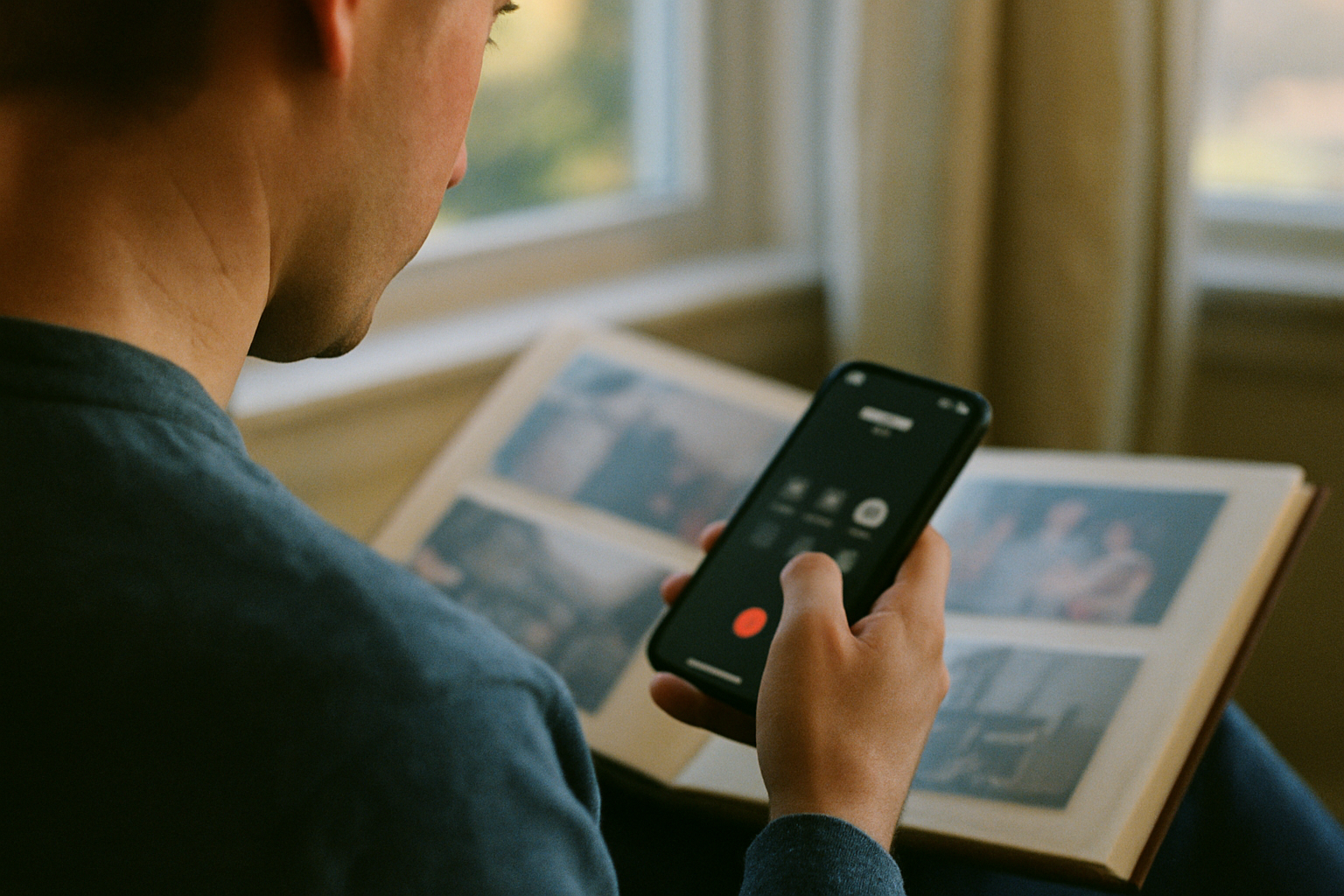
iPhone, Pixel and Samsung phones can all record a phone call without an extra app, as long as you're in a country or region that supports it. On an iPhone with iOS 18.1 or later, tap More during the call, then Call Recording. On Android phones with the Phone by Google app, tap Record (or Call Assist → Call Recording on a Pixel). On a Samsung Galaxy, tap the three dots and Record call. In each case, the other person is told the call is being recorded.
This guide covers each phone step by step, where the recording ends up, what to do if your phone has no built-in option, and the consent rules to know first. It ends with the reason we care about it: a phone call is often the easiest way to record a parent or grandparent telling their stories in their own voice.
The short answer
iPhone (iOS 18.1+): during the call, tap More → Call Recording. The recording and a transcript are saved in Notes → Call Recordings. Pixel 6 or later: tap Call Assist → Call Recording. Other Android phones with Phone by Google: tap Record. Samsung Galaxy: tap the three dots → Record call. Always tell the other person first.
iOS 18.1
First iPhone version with call recording
Works on phone calls and FaceTime audio calls with one other person
Pixel 6+
Pixel requirement
With Android 14 or later and the latest Phone app. Other Android phones need Android 9+
Both sides
Hear the notice
iPhone and Phone by Google both announce the recording to the other person
Before you press record: consent
Call recording laws vary. In the US, federal law allows a recording when one person on the call consents, but some states, including California, require everyone on the call to agree. Other countries have their own rules, and some don't allow call recording at all, which is one reason the built-in options aren't available everywhere. Google's and Samsung's help pages both say that following local law is up to you.
The built-in recorders make some of this easier, because they announce themselves. Apple says both people hear an audio notice, repeated during the call. Google says both parties are notified when recording starts and when it stops. But a beep isn't the same as asking. Apple's own guidance is to get the other person's explicit consent before recording.
For a family call, it's one sentence: "Mom, can I record this so the grandkids can hear you tell it someday?"
Not legal advice
This is a general overview, not legal advice. If you're recording for business, a legal matter or anything contentious, check the law where you and the other person are.
How to record a phone call on iPhone
Since iOS 18.1, the iPhone's Phone app can record calls and FaceTime audio calls with one other person, in countries and regions where Apple offers it.
Record a phone call on iPhone
Use the built-in call recording in the iPhone Phone app (iOS 18.1 or later).
- 1
Ask first
Tell the other person you'd like to record the call, and get their agreement.
- 2
Start recording during the call
While you're on a call with one other person, tap the More button, then tap Call Recording. Both of you hear an audio notice that the call is being recorded.
- 3
Stop recording
Tap the Stop button, or just hang up. Either person hanging up ends the recording.
- 4
Find it in Notes
Open the Notes app and go to the Call Recordings folder. In supported languages, the note includes a transcript that labels each speaker.
- 5
Save the audio as a file
In the note, tap the More button, then tap Save Audio Files and choose a place in Files. Or tap Share Audio to send it.
A few details from Apple's documentation:
- Transcripts appear in supported languages and regions, and can take a little while to show up. With Apple Intelligence on a supported iPhone, you can also get a summary.
- FaceTime audio calls can be recorded the same way. Apple's call recording covers calls with one other person, not group calls.
- Availability: call recording isn't offered in every country or region, and button labels can differ slightly between iOS versions. If you don't see Call Recording under More, it may not be available where you are.
Once you've saved the audio, our guide to transferring recordings from iPhone to a computer shows how to get it onto a PC or Mac. The iCloud Drive and email methods work the same for any audio file.
How to record a phone call on Android (Phone by Google)
Many Android phones, including every Pixel, use Google's Phone by Google app. Google's requirements: Android 9 or later on non-Pixel phones, a Pixel 6 or later with Android 14 or later on Pixels, the latest Phone app, and a country or region where call recording is supported. Google adds that only some devices and carriers support it.
Record a call with Phone by Google
Start the recording
Make or answer the call. On a Pixel, tap Call Assist, then Call Recording. On other phones with Phone by Google, tap Record on the call screen. Both people are told the call is being recorded.
Stop it
On a Pixel, tap Call Assist, then Stop. On other phones, tap Stop recording. Both people are told the recording has ended.
Find and share the recording
Open the Phone app and tap Home. The latest recording has a player right there. For older calls, choose the contact, tap History and pick the recording. Tap Share to send it by email or a messaging app.
You can also set the app to always record calls from numbers not in your contacts, or from selected contacts, under Settings → Call recording → Always record. Google notes that automatic recording isn't available in every market.
These recordings aren't backed up
Google says call recordings stay on your device and aren't saved or backed up off-device. Deleting a call from your call history deletes its recording too, and you can set recordings to delete themselves automatically after a set time under Settings → Call recording → Delete recordings. If a recording matters, tap Share and send yourself a copy the same day.
Google also lists a few limits: you can't record a call before it's answered, while it's on hold, or while you're setting up a conference call.
How to record a phone call on Samsung Galaxy
Samsung phones use Samsung's own Phone app. Where it's available, Samsung's support pages describe two ways to record:
Record one call
During the call, tap the More button (three dots), then tap Record call.
Record calls automatically
Open the Phone app, tap More → Settings → Record calls, then tap Auto record calls and turn it on. You can choose all calls, unsaved numbers or specific numbers.
Find your recordings
Go to Phone → More → Settings → Record calls → Recorded calls.
Know the limits
Samsung says call recording may not be available in some countries because of local regulations, and its support page notes it doesn't work on Wi-Fi calling.
If you don't see these options, your model, software version, carrier or country may not offer them.
No built-in call recorder? Two fallbacks
- Google Voice. With a personal Google Voice account, you can record incoming calls to your Google Voice number. Turn on Incoming call recording under Calls in the Voice app's settings. Then answer the call and press 4 to start, and 4 again to stop. Everyone on the call hears an announcement. Recordings appear in the Calls tab.
- A second device on speaker. Put the call on speakerphone and record it with another phone, a tablet or a laptop. The sound is weaker and it picks up the room, but it works with any phone, any carrier and any calling app. Tell the other person you're recording.
Use a phone call to record a parent's or grandparent's stories
Most "how to record a call" searches are about work calls, scam calls or keeping a record of a dispute. We'd make the case for another reason. A phone call may be the easiest way you'll ever get to record someone you love telling their stories. There's no camera, no setup, nothing new to learn on their end, and it happens in a place they're comfortable: on the phone with you.
A 30-minute story call
Ask before the call
Text or tell them ahead of time: "Sunday, can I record our call? I want to save some of your stories." People relax when it isn't a surprise.
Pick a quiet spot on your end
You'll hear yourself on the recording too. Find somewhere quiet, and ask them to sit somewhere quiet if they can.
Ask a few questions, not twenty
Three to five good questions fill half an hour. Let the silences run; the best answers often come after a pause.
Save it the same day
Copy the recording off the phone, rename it with who, what and when, and keep it in more than one place.
10 questions that work well on the phone
- What's the earliest thing you remember?
- What was the house you grew up in like? Walk me through it.
- What did your parents do for work, and what were they like?
- How did you and Mom (or Dad) meet?
- What was your first job, and what did it pay?
- What's something you did that your parents never found out about?
- What was the hardest year of your life, and how did you get through it?
- What were you like when you were my age?
- What's a story about me as a child that I've probably forgotten?
- What do you want the grandkids to know about you?
For a fuller list and interview technique, see our complete guide to recording family life stories and how to interview your parents. If the clock feels short because of illness or memory loss, read recording a parent's voice before dementia.
Save the voices you already have
A recorded call is one way voices end up on your phone. There are others, and some of them disappear on their own:
Audio messages
Voice notes in iPhone Messages can expire two minutes after you listen. Here's how to save audio messages on iPhone.
Voicemails
These live with the carrier, which deletes them on its own schedule. See how to save a loved one's voicemail.
Their accounts
Photos and messages in a parent's iCloud or Google account need planning to reach later. Our guide to Apple Legacy Contact and Google Inactive Account Manager covers the setup.
Apps for story recording
If you'd rather not use phone calls, compare the best apps for recording a parent's life stories.
Give the recording a home
A recording sitting in Notes or the Phone app is one lost phone away from gone, and a file called "Call with Mom" won't mean much in twenty years. In Memory Murals, you can upload the saved call audio to your Media library and add it to a memory with the photos and the story it belongs to. Then invite the family, so it isn't sitting on one person's phone. And when you're with them in person, you can record their voice straight into a memory in the app.
Save their stories in their own voice
Keep recorded calls, voice notes and the stories behind them in one private family archive, and invite the people who should have them.
Start your family archive freeFree plan available • No credit card required
Get 50 questions to ask your parents — before the stories are gone
The exact prompts families use to draw out the stories nobody ever wrote down. Free, straight to your inbox.
No spam. Unsubscribe anytime.
Frequently asked questions
Does iPhone tell the other person you're recording?
Yes. Apple says both people on the call hear an audio notice that the call is being recorded, and the notice repeats periodically during the call. There's no way to turn it off. Apple also says to get the other person's explicit consent before you record.
Where do iPhone call recordings go?
iPhone saves call recordings automatically to a Call Recordings folder in the Notes app. In supported languages and regions, the note also contains a transcript that labels who said what. To get the audio out, open the note, tap the More button, then tap Save Audio Files to save it to Files, or Share Audio to send it.
Is it legal to record a phone call?
It depends on where you and the other person are. US federal law allows recording when one person on the call consents, but some states, including California, require everyone on the call to consent, and laws differ in other countries. Google and Samsung both remind you that following local law is your responsibility. The simplest rule: tell the other person and ask before you record. This isn't legal advice.
Can you record a FaceTime call with audio?
You can record a one-to-one FaceTime audio call on iPhone with iOS 18.1 or later, in the same way as a phone call: tap More during the call, then Call Recording. Both people hear the recording notice, and the recording and transcript go to Notes. Apple's call recording works on calls with one other person, not group calls.
How do I record a call on Samsung?
On Galaxy phones where it's available, open the Phone app during a call, tap the More (three dots) button and tap Record call. To record automatically, go to Phone → More → Settings → Record calls and turn on Auto record calls. Recordings are listed under Record calls → Recorded calls. Samsung says call recording may not be available in some countries because of local regulations.
Related Stories

Pillar Articles
How to Record Your Family's Life Stories: The Complete Interview Guide (2026)
A complete, practical guide to recording your family's life stories — who to ask, what to ask, how to ask without making it weird, and what to do with the recordings once you have them. Built from the methods that actually work, not the ones that look good in articles.
Patrick Moore • May 16, 2026

How-To Guides
How to Interview Your Parents About Their Life (Without It Feeling Like an Interrogation)
Most of us mean to ask. We don't. Then we lose the chance. Here's an honest, parent-neutral guide to interviewing your mom or dad — what actually works, what doesn't, and where the recording lives for the next twenty years.
Patrick Moore • May 13, 2026
How-To Guides
Apple Legacy Contact & Google Inactive Account Manager
Two settings decide whether your family can reach your photos, messages and files after you die. Here's how to set up Apple Legacy Contact and Google Inactive Account Manager, what each one really shares, and what to do if a parent never set them up.
The Memory Murals Team • October 18, 2026
Now give it somewhere to live.
The file you just saved outlasts nothing on its own. Put it where your family can still find it in thirty years.