
How to Save the Voicemails Worth Keeping
There are voicemails on your phone right now that you'd cross a city to recover if you lost them — your kid's voice from a phase that's already over, a partner singing into the answering machine, a grandparent's holiday call. Here's how to save them in five minutes, before your phone, your carrier, or your number takes them away.
The Memory Murals Team • May 3, 2026
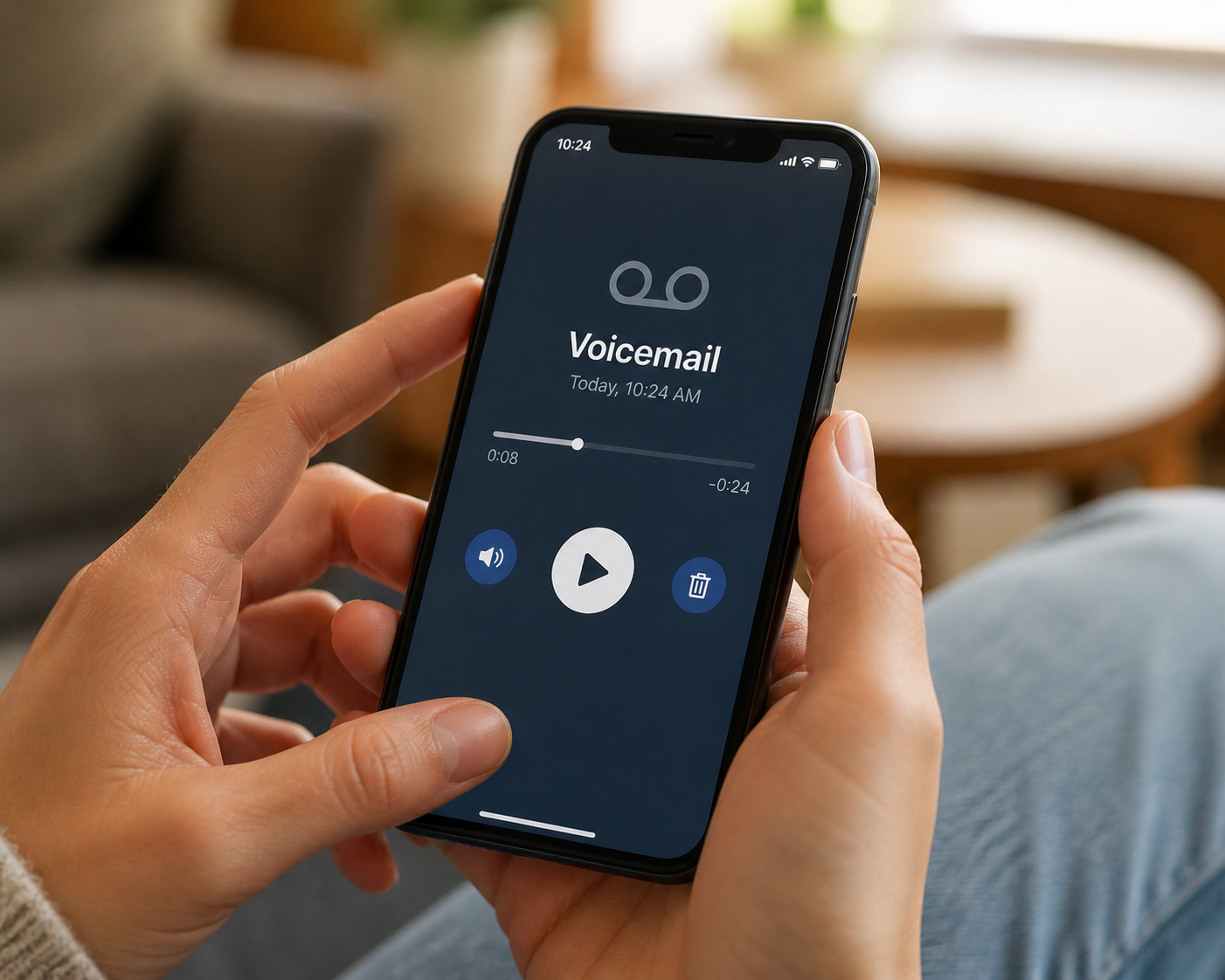
You're scrolling through old voicemails on a Tuesday night, looking for nothing in particular, and you stop on one from August 2019.
It's your son. He's four. He's calling from his grandmother's house and he's trying to tell you, very urgently, about a goldfish that he saw at the pet store. The voicemail is forty-three seconds long. He uses the word gigantic twice. There is a tiny pause where you can tell he's getting distracted by something off-camera, and then he says I love you, Mommy the way only a four-year-old can say I love you, Mommy — slightly mispronounced, completely unguarded, a phase of his voice that ended sometime in second grade and never came back.
You stand in the kitchen and listen to it three times.
And then you realize something a little terrifying: you almost lost it. You almost upgraded your phone last summer and you don't remember if voicemails actually transferred. Your wife mentioned an iCloud "storage almost full" warning a few months back and asked if she could clean up old audio files. Your carrier sent you an email about voicemail policy changes and you didn't read it. Forty-three seconds of your son at four years old, hanging by a thread you didn't know was a thread.
This isn't a post about grief. There's a separate post for that — if you've recently lost someone, the urgent guide is the better starting point and we'll link to it below. This post is for the voicemails on your phone right now that you'd cross a city to recover if you lost them — and how to actually save them before something quiet and unannounced takes them away.
Phones, carriers, and numbers don't warn you
Phones get lost, broken, water-damaged, traded in, or factory-reset by a well-meaning relative. Carriers change voicemail retention policies in fine-print updates nobody reads. Numbers get ported, transferred, or rolled over for new business lines. None of these come with a "your voicemails are about to disappear" alert. The only reliable defense is to save what matters now, while it's still trivial. Five minutes today buys you decades of safety.
The Voicemails Most People Have But Never Save
Before the mechanics, the hook: most people don't save voicemails because they don't realize which ones they'd be devastated to lose. So before we touch a single setting, scroll through your voicemail tab right now and look for these.
A child's voice from a phase that's already over
The lisp at four. The way they said your name at six. The chapter where they couldn't pronounce spaghetti. Kids' voices change in increments you don't notice in real time and never come back. If there's a single voicemail from a previous version of your kid, save it tonight. You won't remember the exact pitch of their three-year-old voice in twenty years no matter how confident you feel right now.
A grandparent's voicemail that always feels different at the holidays
The "just calling to wish you a happy Thanksgiving" message that's actually fifty seconds of an 80-year-old saying things like "we got your card and your father loved it." The voice that's already a little softer than it was five years ago. Grandparents' voicemails are one-shot artifacts — they don't tend to leave many — and they age fast.
A partner saying something private and ordinary
A spouse singing along to the radio while leaving you a grocery-list message. The pet name at the end. The teasing voice they use only with you. The voicemails couples save are almost never the romantic ones — they're the goofy, mid-life, in-between ones. Those are the ones you'll listen to in twenty years.
A milestone call you almost forgot
The voicemail telling you you got the job. The one announcing the pregnancy. The one your sister left after the surgery went well. Milestone voicemails get buried under everyday ones within a month, and most of us don't think to extract them — until we go looking and they're somewhere on a phone we no longer have.
A voicemail from someone now far away
A friend who moved overseas. A parent who lives in a different time zone now. A college roommate you only hear from once a year. The voice you used to hear all the time and now barely recognize when it shows up in your inbox. Save the next one.
A pet's name said the way someone used to say it
This one surprises people. The voicemail isn't about the pet — it's a passing mention. "Tell Charlie I miss him too." Years later, the dog is gone, and the only place anyone in the family ever said the dog's name the way they used to is buried in a 22-second voicemail about Tuesday plans.
The accidental pocket-dial
The voicemail that's three minutes of a friend laughing with someone else, completely unaware they're recording. Pocket-dial voicemails capture people in their actual lives, which is something almost no other audio ever does. If you have one, treat it like a treasure.
An 'I love you' from a season that was hard to be in
The voicemail left during a stretch when things were strained — work, marriage, family — and someone called anyway and said the words. You'll remember the season. You won't remember the words unless you save them.
If even one of those rang a bell, the next ten minutes of your evening should be saving it. Everything else on this page is the mechanics.
Your Phone, Your Carrier, and Your Number Are All on Their Own Timers
Voicemails live in three precarious places: on your phone, on your carrier's servers, and tied to your specific phone number. Each of those is at risk in a different way, and most people only know about one.
The phone risk
Phone gets lost, dropped in water, factory-reset by a kid playing with it, or traded in for an upgrade where the audio files don't make the migration. iCloud and Google backups help, but they don't always cover voice memos that came from voicemail saves. Voicemail-as-cached-audio is one of the easiest things to silently lose during a phone change.
The carrier risk
Carriers auto-delete voicemails after 14 to 45 days depending on plan and provider. "Saved" voicemails get deleted too — most carriers cap saved messages at 30 days even when you mark them as keep. The clock has nothing to do with how important the message is. AT&T, Verizon, and T-Mobile each have their own auto-delete windows; the deep-dive linked at the end of this post breaks down the specifics carrier by carrier.
The number risk
Port your number to a new carrier and old voicemails frequently don't survive the transfer. Change your business line. Roll over a kid's phone to a hand-me-down. Get a new number after a divorce. Each of these is a moment when voicemails attached to the old number can vanish quietly, sometimes the moment the port completes.
The cloud risk
You saved the voicemail to iCloud or Google Drive years ago. Then you got an "almost full" warning and bulk-deleted "old audio files." Or you switched Apple IDs after a marriage. Or someone in the family got locked out of the shared account during a password reset. Cloud storage isn't preservation; it's sync. The two are different things.
The point isn't to scare you. It's to explain why the next two sections matter — saving the file in one place is better than nothing, but it isn't safety. Safety is the file in two or three places, with names you'll recognize in twenty years.
The Five-Minute iPhone Save
iPhone has a built-in share function for voicemails that most people never notice. Works on every iPhone from the 6S forward, no paid apps required.
How to save an iPhone voicemail in five minutes
Open Phone → Voicemail
Bottom-right tab. Tap the message you want to save. If you don't see it but remember it existed, scroll to the bottom for "Deleted Messages" — iOS keeps deleted voicemails for ~30 days before purging.
Tap the Share icon
Top-right of the voicemail detail view, the small square with the arrow pointing up. Same icon you use to share a photo.
Choose 'Voice Memos' or 'Save to Files'
Voice Memos backs up via iCloud automatically and gives you a waveform — best for listening back. Save to Files puts a raw .m4a audio file in your iCloud Drive — best for forwarding to family or uploading to a permanent archive.
Rename it before you forget what it is
Voicemails get saved with names like Voicemail_1487394726.m4a. That filename is anonymous in ten years. Rename it to something a future-you will recognize: 2019-08-23-jacob-goldfish-call.m4a. Date first, person, one-word context. This is the part that turns a saved file into a findable memory.
If you only do steps 1–3, you have a saved voicemail. If you do step 4 too, you have a voicemail your grandkids will be able to find in 2070. The filename is the difference between "data on a server" and "memory on purpose."
If you want the longer version — every iOS version's share-sheet quirk, the iCloud edge cases, what to do when "Save to Files" is missing from the menu — the iPhone backup how-to walks through it screen by screen.
The Five-Minute Android Save
Android is messier. Each carrier ships its own voicemail app, and the share/save flow varies. Here's the order of operations that works in real life.
Option 1: Carrier visual voicemail app
Most major carriers (AT&T, Verizon, T-Mobile, Google Fi) have a visual voicemail app with a save/share option hidden inside the message's three-dot menu. Tap the message, tap the three dots, look for "Save," "Archive," "Download," or "Share." This is the cleanest path when it's available.
Option 2: Google Voice
If anyone in your family uses Google Voice, log into voice.google.com, tap the voicemail, and download the .mp3 directly. Google Voice also keeps automatic transcriptions — useful when you want the words for searching later.
Option 3: Samsung & Pixel native options
On Samsung, the Samsung Voicemail app added a "Backup" / "Export" option in recent OneUI versions — buried in the app's settings. On Pixel, Google's Phone app supports download-as-audio from the voicemail detail screen on newer builds.
Option 4: Record on a second device (always works)
Play the voicemail on speaker. Record with another phone's voice recorder held close to the speaker. Audio quality drops a tiny amount. It works on every Android, every carrier, every OS version. When the other three options fail, this never does.
For the full carrier-by-carrier breakdown — including what to do when the phone is locked, when the number has been transferred, and how to request audio retrieval from the carrier directly — see the comprehensive voicemail-saving guide. This post is the proactive companion; that post is the deep-dive.
Saving Isn't Preserving — Where Voicemails Actually Survive
A voicemail saved as a Voice Memo on one phone is better than no voicemail. But it's not safe yet. Phone breaks, account locks out, accidental delete during a storage cleanup — saved isn't the same as preserved.
The 3-2-1 backup rule that IT departments use for critical data applies here too:
3 copies of the file
Original on the phone, plus at least two backups. One copy on your phone alone is one accident away from gone.
2 different storage types
Don't make all three copies the same kind of cloud account. iCloud + Google Drive is two types. iCloud + iCloud Backup is one type pretending to be two — same login, same outage risk, same family-account-lockout risk.
1 off-site or family-accessible copy
Somewhere outside your house, your phone, and your personal account. A family-shared archive your siblings can also reach. A trusted family member's drive. A purpose-built tool like Memory Murals. The point is that one flood, one stolen laptop, or one forgotten password can't take it all out.
We wrote about this preservation philosophy in more depth in the family backup — the short version is that the most important data in your life isn't on your phone, but it isn't anywhere else either, and that's the gap most families discover only after losing something.
The filename is the actual archive
A folder of files called Voicemail_148...m4a, Voicemail_149...m4a, Voicemail_150...m4a is functionally a black box. Nobody opens it. Nobody finds anything in it. Rename every voicemail you save with a date, a name, and a one-word handle: 2024-12-25-grandma-christmas-call.m4a. The renaming step is what turns the file from storage into a memory. It takes ten seconds per voicemail and it's the difference between something findable and something forgotten.
The Five Moments to Verify Your Voicemails Are Still Safe
Most voicemail loss happens at predictable moments. Mark these in your head as "voicemail audit days" and you'll catch problems before they become permanent.
1. New phone day
Before you trade in, factory-reset, or hand off the old device, verify every saved voicemail and voice memo opened on the new phone. iCloud and Google Drive usually migrate them. They sometimes don't. Confirm before the old phone is wiped.
2. Carrier switch / number port
Numbers ported between carriers can lose voicemails the moment the port completes. Save anything important before the port date. Voicemails on the carrier's servers don't transfer to the new carrier — only the number does.
3. New email or Apple ID / Google account
Change accounts after a marriage, a name change, or a security breach? Audio files tied to the old account don't auto-migrate. Re-upload to the new account before retiring the old one.
4. iCloud or Drive 'storage full' warning
The most common cause of "where did my voicemail go?" isn't a hack — it's a storage cleanup. Before you bulk-delete "old audio files" to free up iCloud space, look through them. Voicemail saves often live in the same folder as throwaway voice memos.
5. Annual family-archive day
Once a year — pick a date, like the start of the new year, or a family member's birthday — sit down for fifteen minutes and confirm the voicemails you've saved still play. Test one. Forward one. The audit takes longer to procrastinate than it does to do.
6. The first sign of dementia in a family member
This is the hardest one, and it deserves a place on this list. The moment you start to suspect a parent is losing memory, the urgency around their voice becomes different. Save what you have, ask for a few new voicemails on different topics, and treat anything they leave you in the next year as one-shot artifacts. Their voice tomorrow won't sound exactly like their voice today.
Why the Voice Hits Different Than the Photo
A photo shows you what someone looked like. The voice shows you who they were. The pitch they used when they were teasing. The hesitation before a hard sentence. The little hum they did when they were thinking. These don't survive in photos, and they often don't survive in your memory the way you assume they will. Many people find that a voice fades from recall faster than a face does.
We wrote about this at more length in the sound of home — why a loved one's voice activates parts of the brain that photos don't reach, and why the families who preserve voice on purpose end up with something measurably different from the families who don't. The short version: a photo is a record of how someone looked. A voicemail is a record of how someone was. The difference is everything.
This is also where the broader idea of a digital legacy comes in. The point of saving a voicemail isn't archival — it's continuity. It's the great-grandkids who will play that 43-second goldfish voicemail in 2065 and meet a four-year-old version of someone they only ever knew as an adult.
If a recent loss is what brought you to this guide, our hub for grieving families is the longer-form companion — the practical reading list, the FAQs other families have asked, the step-by-step beyond the voicemail save.
The single move worth making tonight
Open your voicemail tab right now. Scroll. Find one — just one — that you'd be devastated to lose. Save it to Voice Memos or Files using the steps above. Rename it with the date, the person, and one word of context. Then forward a copy to a family member or upload it to a place outside your phone. Five minutes. Memory Murals does this for families automatically — voice memos, photos, and stories transcribed and tagged in a private archive your whole family can return to forever. Start free. But even if you never use us, please do the five-minute version tonight. Future-you is going to be very glad you did.
Get 50 questions to ask your parents — before the stories are gone
The exact prompts families use to draw out the stories nobody ever wrote down. Free, straight to your inbox.
No spam. Unsubscribe anytime.
Frequently asked questions
Will saved voicemails transfer when I switch phones?
Sometimes. iCloud and Google Drive usually migrate Voice Memos and saved audio files to a new device when you sign in. But "usually" isn't "always" and the failures are silent. Verify on the new phone before you wipe the old one. If a file doesn't appear, AirDrop or email it to the new device manually before letting go of the original. The single most common way people lose voicemails during a phone switch is assuming the cloud will handle it.
Do voicemails transfer when I switch carriers?
No. Voicemails live on the carrier's servers, not on your phone number. When you port to a new carrier, the number transfers but the voicemail history doesn't. Save anything important before the port completes — once it's done, the messages on the old carrier's servers are typically inaccessible to you within days. Audit your saved voicemails the week before any planned carrier switch and pull copies of every message worth keeping.
How long does iCloud or Google Drive keep audio files?
Indefinitely, as long as you stay under the storage cap and the account stays active. The two ways people lose cloud-saved audio are (1) bulk-cleanup during storage-full warnings and (2) account access loss after marriage, name change, or password recovery failures. Neither is the cloud's fault, but both happen all the time. Treat cloud as one of three copies, not the only one — voice files are too important to entrust to a single account.
Are voicemails the same as voice memos?
No, but the formats are usually compatible. Voicemails are messages someone left for you, stored on your carrier and surfaced through visual voicemail. Voice memos are recordings you made yourself, stored on your device. Saving a voicemail typically converts it into a .m4a or similar file that sits alongside your voice memos — at which point the two become indistinguishable to your phone, but they came from very different storage systems and have very different deletion risks.
Should I keep the transcript or just the audio?
Keep both, but the audio is the irreplaceable part — that's what carries the voice. A written transcript helps with searchability and adds context for the future, especially for descendants who'll want to know what was said without listening to every clip. If you use a tool that auto-transcribes (Memory Murals, Google Voice, some carrier voicemail apps), the transcript comes for free. The transcript is for finding the memory; the audio is the memory itself.
How do I save a voicemail forever so I never lose it?
Pull it off the carrier first, then store it in three places: the device, the cloud, and one offline location (an external drive, a thumb drive in a drawer, or a printed transcript with a QR code linking to the file). Most voicemail loss happens at the carrier-server stage. The second most common loss happens during account migrations. Three independent copies, in three different places, is the durability standard for anything you'd be devastated to lose.
Related Stories
How-To Guides
How to Save a Deceased Loved One's Voicemail Before It's Gone Forever
Your phone carrier is counting down to the day your loved one's last voicemail disappears forever. Most families don't know this until it's too late. Here's exactly how to save it — on iPhone and Android — before the clock runs out.
The Memory Murals Team • April 19, 2026

Insights
The Sound of Home: Why a Loved One's Voice is the Ultimate Time Machine
We obsess over HD video but overlook our most powerful connection: the human voice. Here's why recording your family's voices might be the most important thing you ever do.
Patrick Moore • January 20, 2026

How-To Guides
How to Create a Digital Estate Plan for Your Family Memories
What happens to your family's digital photos, videos, and stories when you're gone? Recent news about data breaches and changing cloud services highlights the need for a plan. This guide offers practical steps to create a digital estate plan specifically for your family memories, ensuring they are preserved and passed on securely.
Patrick Moore • August 10, 2026
Now give it somewhere to live.
The file you just saved outlasts nothing on its own. Put it where your family can still find it in thirty years.