
How to Build a Permanent Digital Legacy
Most digital legacies don't survive their owners — accounts go dark, subscriptions lapse, files vanish during account migrations nobody noticed. Here's how to build an archive that actually lasts past you.
Patrick Moore, Founder • May 10, 2026
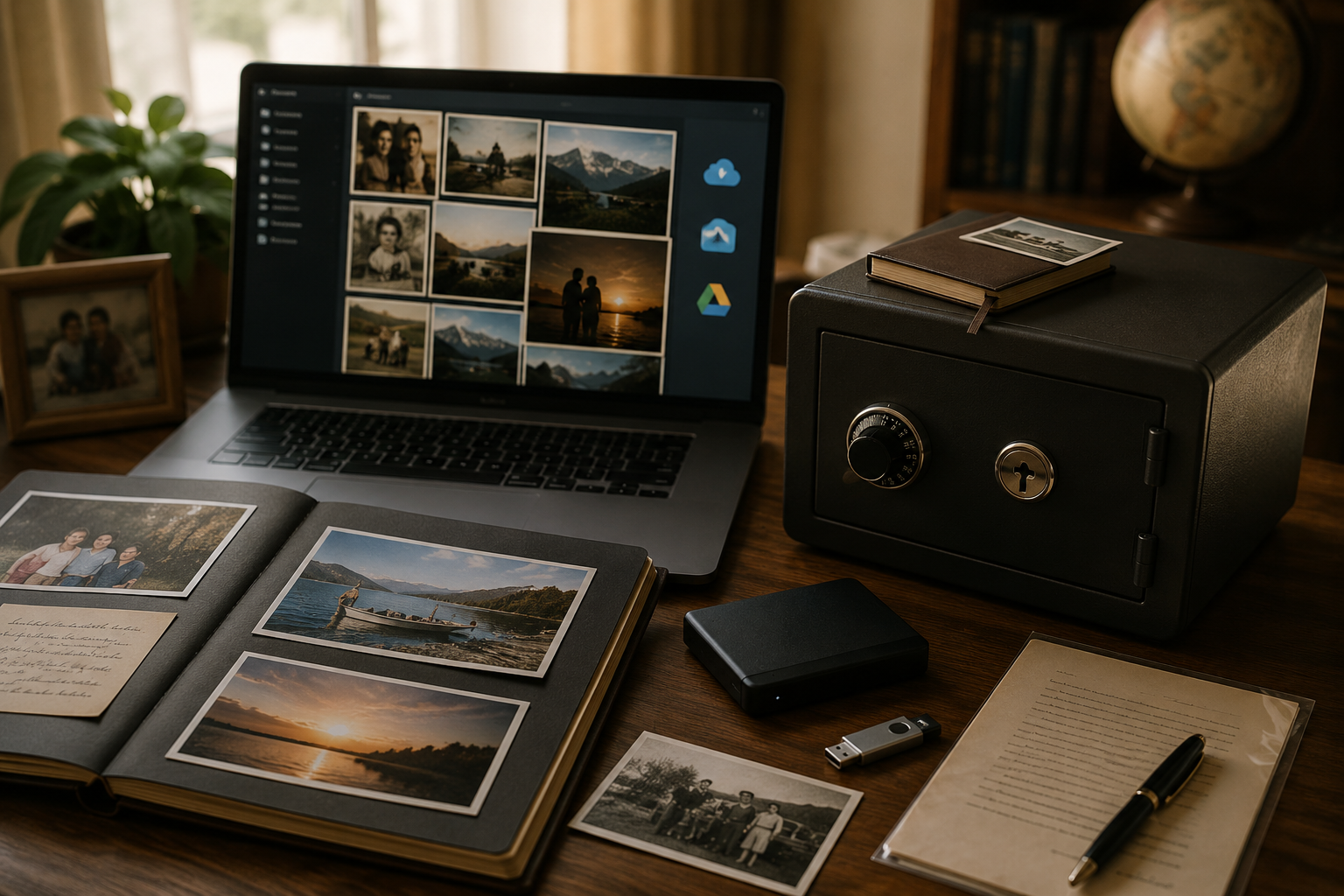
The hardest question in the digital-legacy conversation is the one most people don't ask until it's too late: what happens to your archive when you die? Or — slightly less morbid but more common — what happens to it when your subscription lapses, when you change email addresses, when an account gets locked because you forgot to update a credit card?
The honest answer for most digital archives in 2026 is: they disappear. Not catastrophically, on a single day with a clear cause. They disappear gradually. The Google Photos library that nobody can log into anymore. The Facebook photos that vanished when the account was memorialized. The voicemail folder lost during a phone migration. The 4,000 photos in iCloud that stopped syncing five years ago and quietly orphaned themselves.
A permanent digital legacy isn't a single product feature. It's a set of choices about ownership, exportability, redundancy, and succession. This post is the practical playbook for actually building one — using whatever tool you already use, plus a few specific durability checks most people skip.
Three principles that decide whether an archive survives you
Before any specific advice, three principles separate archives that last from archives that don't:
1. You own the data, not the platform. If your archive lives in a tool that won't let you export it in standard formats — JPEG, MP4, plain text, audio files — your archive doesn't outlast that tool. The platform might survive twenty years; it might not. The data needs to be yours regardless.
2. The archive has a defined succession path. Someone needs to be able to access it after you can't. Not "in theory" — actually, with credentials and instructions and a process they've been told about. The most common reason archives don't survive isn't a platform shutdown; it's that nobody in the family knows how to access the deceased person's account.
3. The data exists in more than one place. Single-platform redundancy is the bare minimum. A serious permanent archive lives in at least two places — typically the primary platform plus an offline backup or a secondary cloud account. The "3-2-1 rule" (three copies, two storage types, one off-site) is what archivists use because it's the durability standard for anything you'd be devastated to lose.
The rest of this post is the operational version of these three principles.
Pick tools that let you export everything
The first durability check on any tool you use for your digital legacy is: can you export every piece of data, in standard formats, without paying extra?
The honest answer for many popular tools is "sort of, but with caveats." Some examples of what to look for:
Photos and video. Standard formats are JPEG, PNG, MP4. Look for a tool that lets you bulk-download the original files (not compressed thumbnails) without rate limits or "premium-only" gates on export.
Voice recordings. Standard formats are MP3, M4A, WAV. The audio file itself is what matters, not just a transcription. If a tool only lets you export transcripts, you've lost the actual voice — which is usually the irreplaceable part. (More on why voice specifically matters in our piece on the sound of home.)
Stories, captions, and metadata. Standard formats are plain text or JSON. Look for an export that includes who's tagged in each memory, when it was created, and the relationships you've defined between people and events. A photo without context is half a memory.
Family relationships and connections. Some platforms structure your archive with rich relational data — who's family with whom, which memories connect to which events, which threads of the family history link across years. That structure should also be exportable. If it isn't, you're locked into the platform forever.
The practical version of this check: pick a Saturday afternoon, log into your archive tool, and try to export everything. If the export works cleanly and you can verify the files open in standard viewers, the tool is ownership-safe. If the export is gated, partial, or unusable, the archive is platform-locked and won't survive a platform decision you can't control.
Make sure someone other than you can access the archive
Most digital archives that "disappear" don't actually disappear — they become inaccessible because the only person who knew the credentials is no longer around to share them. The data is fine. The path to it is gone.
The fix is unromantic but structural: before you go any further, write down (a) which platform your archive is on, (b) what the login is, and (c) who in the family is supposed to take it over. Store this somewhere a trusted family member can find it. A few options:
A digital password manager with emergency access. Tools like 1Password Families, Bitwarden, and Dashlane all offer "emergency access" or "trusted contact" features where a family member can request access to your vault and, after a configurable waiting period (typically a few days), gain it without you needing to share the master password directly.
A printed sealed envelope in the same place as your will. Old-fashioned, fully analog, but reliable. The envelope contains: the platform, the login email, the master password, and brief instructions ("the family archive is on Memory Murals; here's how to access it"). The envelope sits with your will or in a fireproof safe.
Adding a specific family member as a co-owner or co-administrator on the archive. Many family-archive tools support multi-account ownership, so the archive isn't dependent on a single login. If your tool supports this, it's the cleanest succession path because no posthumous credential-sharing is required.
The point isn't paranoia. It's that "the family archive is just on my phone" is the same as "the family archive doesn't exist after I do." Pick the lightest-weight succession plan you'll actually follow.
The 3-2-1 backup rule, applied to a family archive
Archivists have a rule called 3-2-1: three copies of every important file, on two different types of media, with one copy stored off-site. It's the durability standard for any data you'd be devastated to lose, and it applies cleanly to a family archive:
- Three copies. The primary archive (in your tool of choice). A secondary backup (a different cloud or hard drive). An offline copy (an external drive in a drawer, or a printed photo-and-story book for the most important items).
- Two media types. Cloud storage AND physical storage. If everything is in the same cloud provider, a single account-loss event takes everything. If everything is on a single hard drive, a single drive failure takes everything.
- One off-site. At least one copy is somewhere physically different from where you live. A hard drive in your house is great; a hard drive at your house and a copy at a sibling's house is meaningfully more durable.
The practical 2026 version of 3-2-1 for most families:
- Primary archive in a family-archive tool that supports cross-platform access and exports — Memory Murals, FamilyAlbum, or whatever you've picked.
- Secondary cloud backup of the export — Google Drive, Dropbox, Backblaze, or another cloud provider unrelated to the primary tool.
- Offline annual backup — once a year, export your entire archive to an external drive and store it somewhere durable. The annual cadence is what most archivists recommend; the annual "family archive day" is a useful ritual to associate with it.
This is more redundancy than most families implement. Most don't lose everything; some do. The cost of the redundancy is one Saturday afternoon per year. The cost of not having it is what people regret.
(For the longer version of the redundancy argument, our piece on the family backup plan covers what happens when the only copy is gone.)
Why "trusted brand" isn't enough on its own
A common assumption is that big-brand platforms — Google, Apple, Meta — won't disappear, so anything in those platforms is automatically safe. The track record doesn't fully support this:
- Google has discontinued products with significant data implications (Picasa, Google+, Google Hangouts, multiple photo features). Each shutdown gave users an export window, but plenty of users missed those windows and lost data.
- Apple has changed iCloud features and limits in ways that have orphaned files (legacy MobileMe data, iPhoto-to-Photos migrations that lost metadata, shared albums that broke when iCloud changed sharing terms).
- Meta has memorialized accounts in ways that have made photos inaccessible to family members who didn't have direct credentials.
- Several formerly major photo services have shut down entirely (Picasa, Flickr ownership changes that affected paid storage, multiple regional photo services).
The lesson isn't that you can't trust big platforms. It's that "the platform will outlast me" isn't a durability strategy. Even if Google still exists in 2070, the specific feature you're relying on today might not. The archive needs to be portable enough to survive any single platform decision — which is what the export-and-redundancy steps above are for.
A working example of a durable family archive in 2026
Here's what a fully durable family archive looks like, end to end:
Primary tool: Memory Murals (or any tool with full export, multi-contributor support, and view-only access controls). Voice recordings, photos, and stories are added by the family across years. The owner controls editorial decisions; relatives have view-only access.
Succession plan: A printed envelope in the safe deposit box contains the login credentials and a one-page instruction sheet for accessing the archive. A specific family member (named, with their consent) is identified as the eventual successor.
Annual export: Once a year, around the holiday week or a fixed date, the owner runs a full export. Photos, audio files, transcripts, and metadata are downloaded to a single folder.
Off-site backup: The annual export is uploaded to a secondary cloud account (a different provider than the primary tool). A copy is also burned to an external drive that lives at a sibling's house, or in a fireproof box at a relative's home.
Periodic verification: Every six months, someone in the family opens the secondary backup and confirms the files still play and open. Files don't usually fail loudly — they fail quietly. The verification step catches silent corruption early.
This is more work than most families do. It's also less work than most people predict — once the system is set up, the annual export takes about an hour. The succession plan, once written, doesn't need maintenance unless the password changes. The verification step takes ten minutes twice a year.
For a digital legacy you actually want to outlive you, this is the operational floor.
Permanent isn't free, but it's not expensive either
The honest framing for a permanent digital legacy is that it costs about an hour a year — once for the annual export, once or twice for the verification check, plus the upfront work of picking a tool that supports exports and writing the succession plan once.
That's roughly the same time investment as filing taxes for an hour a year. The output is an archive your grandkids will still be able to open in 2070.
If you've been treating "trust the platform" as your durability strategy, this post is the nudge to upgrade. Pick a tool that lets you own your data. Write the succession plan in a sealed envelope this weekend. Set a reminder for next year's annual export. The work is small. The payoff is everything.
For the broader context on what counts as a digital legacy in the first place, our piece on what is a digital legacy covers the definitional ground. For the bigger argument about why this matters at all, what happens to your photos when you die is the longer-arc version.
If you're the family member doing the actual archival work — gathering, organizing, writing the succession plan — our hub for solo archivists covers the tooling and editorial-control patterns specific to single-author archives.
Ready to start a digital legacy designed to last? Try Memory Murals free → — full export from the base plan, no credit card required.
Get 50 questions to ask your parents — before the stories are gone
The exact prompts families use to draw out the stories nobody ever wrote down. Free, straight to your inbox.
No spam. Unsubscribe anytime.
Frequently asked questions
What is a permanent digital legacy?
A permanent digital legacy is a family archive built to survive past its owner — past a single platform's lifetime, past account migrations, past changes in subscription status. It requires three things: data ownership (the ability to export everything in standard formats), a succession plan (someone other than you can access it), and redundancy (the archive exists in more than one place). Most digital archives don't have all three, which is why most don't survive their owners.
What happens to a digital legacy when the owner dies?
Without a succession plan, usually nothing good. The most common outcome is that the family loses access — the credentials are unknown, the platform requires legal documents to grant data access (a process that can take months), and the archive becomes effectively inaccessible. The fix is to write down the access path before you need it: which platform, what the login is, who in the family is supposed to take over. Store it somewhere a trusted family member can find.
How do I make sure my family photos and stories don't get deleted?
Three steps. First, pick a tool that lets you export everything in standard formats (photos, audio, transcripts, metadata). Second, run an annual export and store it somewhere outside the primary platform — a different cloud or an external drive. Third, periodically verify that the backup files still open and play. The most common loss isn't catastrophic platform failure; it's silent decay — files that quietly corrupt or accounts that lapse without anyone noticing.
Is a paper photo book more permanent than a digital archive?
Paper has a longer track record (centuries) but a much smaller capacity (hundreds of photos vs thousands). The honest answer for most families is: do both. Print the most important 50-100 photos as a hardcover book that survives without electricity, and keep the broader archive digital with proper redundancy. The book covers the catastrophic-loss scenario; the digital archive covers volume and searchability. Neither alone is the right answer.
What's the 3-2-1 backup rule for family archives?
Three copies of your archive, on two different types of media, with one copy off-site. Practically: your primary family-archive tool plus a secondary cloud backup plus an annual export to an external drive stored somewhere outside your house. The 3-2-1 rule is what professional archivists use for irreplaceable data. It's more redundancy than most families implement and exactly the right amount for anything you'd be devastated to lose.
How often should I back up my digital legacy?
Annually for the full export, with a six-month spot-check on the existing backup. Once a year is enough for most families because new memories are usually still in the primary archive — the annual export catches everything. The six-month spot-check is for verifying that the existing backup files still open and play. Files don't usually fail loudly; they fail quietly. The verification step catches silent corruption before it matters.
About the author
Patrick Moore, Founder of Memory Murals
Patrick Moore is the founder of Memory Murals. He built it after realizing how much of his own family's history had quietly slipped away — to help families preserve their stories, voices, and photos while they still can.
Related Stories
Insights
What Is a Digital Legacy? (And How to Start Building Yours Before It's Too Late)
Your passwords will expire. Your photos will scatter. Your stories will fade. A digital legacy is the intentional act of deciding what survives — and most people never start.
The Memory Murals Team • April 4, 2026
Insights
The Family Backup: Why the Most Important Data in Your Life Isn't on Your Phone
You back up your photos, your contacts, your passwords. But the most irreplaceable data in your life — your family's stories — has zero redundancy. Here's how to fix that.
Patrick Moore • March 31, 2026
Insights
Nostalgia's Grip: Why We Can't Clear Our Parents' Homes
The task of clearing a parent's home is more than just sorting objects; it's an emotional excavation. Every item holds a story, and nostalgia can make it feel impossible to let go. This post explores why we feel this way and offers gentle strategies for honoring memories without keeping everything.
Patrick Moore • August 8, 2026
Now give it somewhere to live.
The file you just saved outlasts nothing on its own. Put it where your family can still find it in thirty years.