
What Happens to Your Family Photos When You Die? The Digital Inheritance Crisis Nobody Talks About
When someone dies, their iCloud, Google Photos, and social media don't transfer to family. One woman spent years fighting Apple for her husband's wedding photos. Here's what actually happens to your digital memories — and how to make sure your family never loses them.
Patrick Moore, Founder • April 8, 2026
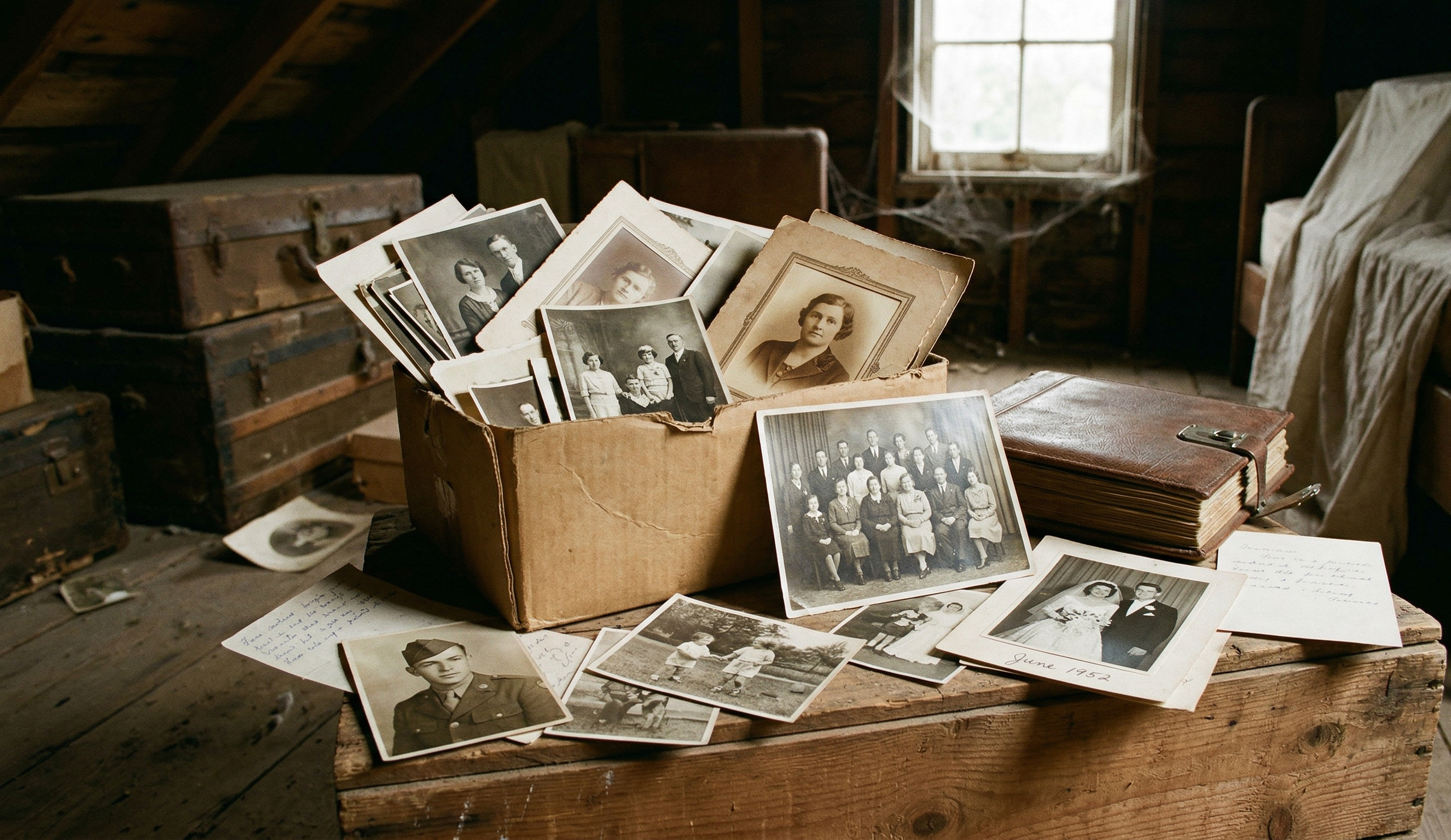
Consider a widow who could inherit her late husband's house. His car. His bank accounts. Everything the law considers "property" transferred smoothly.
But the wedding photos? The holiday videos? The selfies from their last vacation together?
Locked inside his iCloud account. And Apple said no.
It took her years — and a court order — to get access to her own husband's photos. Not financial documents. Not cryptocurrency. Family photos. The kind that exist nowhere else and can never be recreated.
That kind of story isn't rare. It's just one of the few that made the news. Right now, millions of families have their most irreplaceable possessions — decades of photos, videos, and voice recordings — stored behind passwords nobody else knows, on platforms with zero obligation to hand them over.
What This Post Covers
This isn't about digital wills or crypto. It's about the family photos on your phone right now — the ones your kids and grandkids would want if something happened to you tomorrow. Where they actually go, what each platform does (and doesn't do), and five things you can do today so your family never has to fight for their own memories.
Your Entire Family History Is Behind Someone Else's Lock
Here's what most people don't realize: the photos on your phone aren't really on your phone. They're in iCloud. Or Google Photos. Or both. Synced automatically, stored on servers you don't control, governed by terms of service you've never read.
When you die, those terms of service — not your will — decide what happens next.
2 years
Google's Deletion Clock
Google deletes inactive accounts after 2 years of no activity — photos, emails, everything
Years
The Legal Battle
How long it can take a widow to win a court order for a late spouse's iCloud photos
5 GB
Free iCloud Storage
Apple's free tier — your family's entire photo history behind a $0.99/month paywall that stops when you do
The average person takes an enormous number of photos every year. Most back up automatically to cloud storage they barely think about. And here's what nobody mentions: most U.S. states now give executors legal authority over digital assets — but most tech companies still make it incredibly hard to actually access them.
The law says your family has rights. The platforms say "submit a form and wait."
The Platform-by-Platform Reality
Not all platforms handle death the same way. Some have built tools for it. Most haven't made them easy to find. And almost none will give your family everything.
| Feature | Physical | Digital |
|---|---|---|
| Apple iCloud | Account locked. Family must submit death certificate + court order or use Legacy Contact (if set up) | Legacy Contact — designate someone who can request access after your death with a special key |
| Google Photos | Account deleted after 2 years of inactivity. Family can request limited access via a lengthy form | Inactive Account Manager — auto-share data with up to 10 contacts after 3-18 months of inactivity |
| Facebook/Instagram | Account stays active indefinitely. Family can request memorialization or deletion — but not photo downloads | Legacy Contact can manage memorialized profile, but cannot log in or download original photos |
| Amazon Photos | Account expires. No public inheritance tool. Family must contact support with legal documents | None. No legacy planning feature available |
Apple iCloud
- PhysicalAccount locked. Family must submit death certificate + court order or use Legacy Contact (if set up)
- DigitalLegacy Contact — designate someone who can request access after your death with a special key
Google Photos
- PhysicalAccount deleted after 2 years of inactivity. Family can request limited access via a lengthy form
- DigitalInactive Account Manager — auto-share data with up to 10 contacts after 3-18 months of inactivity
Facebook/Instagram
- PhysicalAccount stays active indefinitely. Family can request memorialization or deletion — but not photo downloads
- DigitalLegacy Contact can manage memorialized profile, but cannot log in or download original photos
Amazon Photos
- PhysicalAccount expires. No public inheritance tool. Family must contact support with legal documents
- DigitalNone. No legacy planning feature available
See the pattern? Every platform makes it your job to set things up ahead of time. And the default — what happens if you do nothing — ranges from "difficult" to "your photos get deleted."
If you've never heard of Legacy Contact or Inactive Account Manager, you're in the majority. Very few people have ever activated these features. They're buried deep in settings menus, requiring you to think about a topic most people would rather skip. (If you want the bigger picture on why cloud storage alone falls short, our piece on why the most important data in your life isn't on your phone breaks it down.)
Three Truths About Digital Inheritance
Terms of Service Can Override Your Will
This catches most people off guard. Even if your will says "give my daughter access to all my digital accounts," the platform's terms of service can say otherwise. You agreed to those terms when you created the account — and many explicitly state your account is non-transferable. A will is a legal document. But so is a terms of service agreement. Courts don't always agree on which one wins.
Cloud Storage Isn't Backup — It's a Single Point of Failure
People treat iCloud and Google Photos like they're safe forever. They're not. They're one service controlled by one company. If the account gets locked, hacked, deleted for inactivity, or shut down because the credit card expired — there's no second copy. When people say their photos are "backed up," they usually mean they're in one place that happens to be in the cloud. That's not backup. That's a single point of failure with better marketing.
Photos Without Stories Are Just Files
This is the part that hits hardest. Even if your family does get access to your photos, they'll be scrolling through thousands of unlabeled images with no context. Who's that person in the background of the 2019 Christmas photo? Why did you save that picture of a random street corner in Italy? What was happening the day you took that selfie with your dad — the one where he's actually smiling? The real loss isn't the image. It's the story behind it. No cloud platform preserves that. (This is exactly why the stories you'll never hear again matter more than the photos themselves.)
Five Steps to Protect Your Family's Memories
You don't need a lawyer or a tech degree. You need about 30 minutes and the willingness to think about something uncomfortable.
Your Digital Memory Safety Net
Set up Google Inactive Account Manager
Go to myaccount.google.com/inactive. Choose how long Google should wait (3-18 months of inactivity) before contacting up to 10 people you trust. They'll get access to your Photos, Drive, Gmail — whatever you select. Takes 5 minutes.
Set up Apple Legacy Contact
On your iPhone: Settings → Your Name → Sign-In & Security → Legacy Contact. Add someone you trust. They'll receive an access key — make sure they save it somewhere safe. Without it, they'll need a court order. Takes 3 minutes.
Create a digital asset inventory
Write down every account that holds photos, videos, or memories. iCloud, Google, Facebook, Instagram, Dropbox, Amazon, Shutterfly — all of them. Include the email address for each one. Store this list somewhere your executor can find it.
Tell your executor where to find your passwords
Don't put passwords in your will — wills become public record. Use a password manager with an emergency access feature (1Password, Bitwarden, and Dashlane all have this). Or put a sealed letter in a safe deposit box. Someone besides you needs to be able to get in.
Move your most important memories somewhere built for this
Cloud storage was built to serve you — not your family after you're gone. A purpose-built family archive lets you add context, tag people, record voice notes, and share access with family members now, not after a court order. The best time to organize your memories is while you still remember the stories behind them.
Cloud Storage Was Never Built for Legacy
Google's business model is advertising. Apple's is devices. Facebook's is engagement. None of them are in the business of preserving your family's history for the next generation.
That's not a knock on them — it's just a fact. These platforms were designed to serve you, right now, while you're alive and generating data. The moment you stop logging in, you become a cost center. An inactive account using up server space. And eventually, you get cleaned up.
Your family photos deserve something different. They deserve a place designed from the ground up to keep memories safe, organized, and accessible to the people who matter — not just today, but decades from now.
That's why we built Memory Murals. It's a private family archive where photos, voice recordings, and the stories behind them live together. Your family members can view and contribute. Everything's private by default. And it's built for the long view — because your grandmother's voice, your parents' wedding story, and the photo of your kid's first steps shouldn't depend on whether someone remembers a password.
For the broader playbook on making a digital legacy that actually survives across decades — what to capture, where to store it, who should have access — see our walkthrough on building a permanent digital legacy that lasts.
The same durability question applies to the newer wave of physical memorial products. Seven QR-code gravestone vendors compared walks through which companies are likely to still be hosting the memorial page in twenty years, and which ones are betting on you not asking. The medallion outlasts the website by a lot — and almost nobody in the marketing copy addresses that asymmetry honestly.
The steps above take less than 30 minutes. The cost of not doing them is measured in irreplaceable memories. Start with Step 1 today — and if you want a place to keep your family's most important moments safe, start your free trial and see how it feels to finally have everything in one private place.
Get 50 questions to ask your parents — before the stories are gone
The exact prompts families use to draw out the stories nobody ever wrote down. Free, straight to your inbox.
No spam. Unsubscribe anytime.
About the author
Patrick Moore, Founder of Memory Murals
Patrick Moore is the founder of Memory Murals. He built it after realizing how much of his own family's history had quietly slipped away — to help families preserve their stories, voices, and photos while they still can.
Related Stories

Insights
The Family Backup: Why the Most Important Data in Your Life Isn't on Your Phone
You back up your photos, your contacts, your passwords. But the most irreplaceable data in your life — your family's stories — has zero redundancy. Here's how to fix that.
Patrick Moore • March 31, 2026

Comparisons
Digital Family Archive vs Photo Albums: Why the Shoebox Under Your Bed Isn't Enough Anymore
Your family photos are fading, your stories are unrecorded, and your kids can't find anything. Here's why a digital family archive does what photo albums never could — and how to build one without losing what makes physical keepsakes special.
Patrick Moore • April 3, 2026

Insights
The Battle for Photo Privacy: When Anti-AI Apps Get Scraped
A recent news story highlights a troubling reality: even apps designed to protect your photos from AI can be vulnerable. This post explores the ongoing battle for digital privacy, what it means for your family's memories, and how to choose a truly secure home for your most precious moments.
Patrick Moore • August 15, 2026
Preserve your family's memories in one private place.
Start free in minutes. No credit card required.