
Can AI Fix Water-Damaged, Torn, or Faded Photos?
AI photo restoration can fix faded, scratched, lightly torn, and water-spotted photos reliably in 2026. It struggles with missing chunks, heavy mold, and severe creasing through faces. Here's the honest damage-by-damage breakdown of what works and what doesn't.
Patrick Moore, Founder • May 20, 2026
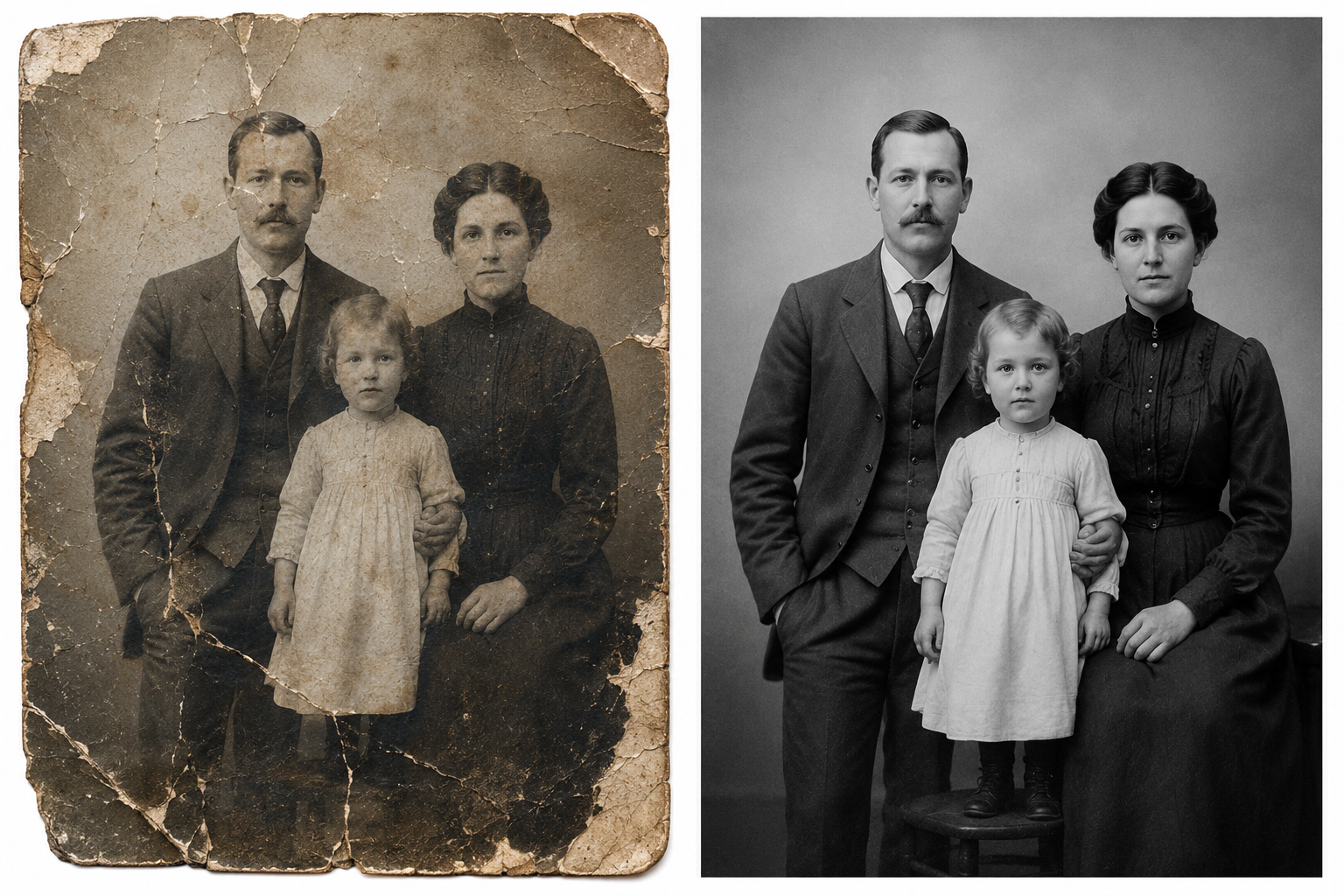
The honest answer is that AI in 2026 can fix a lot of common photo damage reliably — and a few specific types of damage where the answer is "partially, with caveats" or "no, don't expect miracles." This post is the damage-by-damage breakdown nobody else seems willing to write directly, because the marketing copy on most restoration tools is happy to imply they can fix anything.
They can't fix anything. But what they can fix is a lot more than people assume, and the limits are predictable. If you're looking at a specific damaged photo right now and trying to decide whether it's worth uploading, this post tells you the honest answer.
The direct-answer summary
AI can fix: fading and color shift, scratches, light water damage, blur, handwritten annotations, dust and speckles, yellowing, light creasing. AI can partially fix: torn photos with small missing pieces (under ~15% of the frame), heavier water damage with intact emulsion, severe blur where the face is still recognizable. AI cannot reliably fix: large missing chunks (especially through faces), heavy mold, severe creasing across faces, photos so damaged the original content can't be inferred. For damage in the last category, an AI tool will give you a confident-looking output that's mostly invention — be cautious about treating that as a true restoration.
The easy case: what AI handles best
Old Kodak prints turn pink-orange. Old Polaroids turn yellow. Color negatives shift toward magenta after a few decades. All of this is well-understood damage with predictable patterns, and every AI restoration tool on the market handles it well.
The good news: this is also the most common damage type for mid-20th-century color photos, so if your collection is mostly from 1960–1990, fading and color shift are your main problem, and you're going to be happy with the results from almost any tool.
What "good" looks like: the photo regains skin tones, the sky goes back to blue, and the overall image looks like a photo from the year it was taken rather than a photo that spent fifty years in a drawer. There may be small color decisions the AI makes that you disagree with — a dress that was actually mint green coming back as more of a sage — but the overall correction is almost always closer to the original than to the faded version.
Best tools for fade restoration: All major tools handle this well. For free, Remini and Magic Memory are solid. For the bundled restore-plus-colorize-plus-animate workflow, MyHeritage Photo Enhancer was specifically trained on older photos and tends to make smarter era-aware color decisions. (See our full tool roundup for the seven-way comparison.)
The other easy case
Surface scratches — from album sleeves, careless handling, sharp edges in a box — are usually thin linear marks on the print's emulsion. AI inpainting handles these reliably because the model can interpolate what was underneath the scratch from the surrounding pixels.
This is also where Hotpot.ai's lightweight "scratch removal" specifically targets, and it does the one job well. For multi-damage photos (scratches + fade + blur), use a general restorer that handles all three rather than running multiple tools in sequence.
When scratches are actually creases
A scratch is on the surface. A crease is a fold through the emulsion. AI tools sometimes confuse the two. Heavy creases — especially across faces — are harder to restore cleanly because the emulsion damage has likely deformed the underlying image. If the "scratch" is actually a fold you can feel on the back of the original print, expect a less clean result than for a true surface scratch.
The category most people are searching for
This is the damage type the SERP is full of vague answers about, so let's be specific.
Light water damage — staining on the edges, light color bleed, water spots that are visible but the underlying image is still intact — AI handles well. The model can interpolate the damaged areas from the surrounding intact regions. Most major tools will produce a clean result.
Moderate water damage — visible discoloration through more of the image, partial bleeding of colors, edges that are noticeably damaged but the central subject is still visible — AI handles partially. You'll get a result that's significantly better than the original, but expect some residual artifacts in heavily damaged areas. The face usually comes out clean if the face wasn't directly damaged.
Heavy water damage — emulsion lifting off the paper, large discolored zones, content actually obscured by stains, mold beginning to grow — this is where AI starts to invent rather than restore. The model will fill in the damaged areas with plausible-looking content that may or may not bear any relationship to what was actually there. For important photos at this damage level, a human professional restorer (not AI) is the right path. Or, alternatively, accept that the AI output is a creative reinterpretation and keep it alongside the original as a "what it might have looked like" version, not as a faithful restoration.
Light water damage
AI handles it. Most tools work well. Memory Murals' restoration model was specifically prompted to handle water staining; the explorer report on the feature lists "water damage" as a core repair target.
Moderate water damage
Partial AI restoration. Expect good results in undamaged areas and residual artifacts in heavily damaged zones.
Heavy water damage / emulsion lifting
AI begins to invent. For important pieces, consider a human professional restorer. For sentimental but non-critical photos, the AI output is a creative approximation.
The honest answer
Torn photos come in two varieties: tears that haven't lost material (the photo is split but all the pieces are still there, just separated) and tears that have lost material (a chunk is missing, often a corner or an edge).
For tears without material loss: if you scan the photo with the pieces in their original positions — taped lightly or held in place — AI can often clean up the tear lines reasonably well. The model treats the tear as a long thin damage zone and inpaints across it. Results are mixed depending on how clean the scan is.
For tears with material loss: this is where AI's limits become very visible. If the missing piece is small (under ~15% of the frame) and is in a low-information area (a background of sky, a wall, a generic floor), the AI can fill it plausibly. If the missing piece contains content — especially a face, a body, or a key object — the AI will fill it with invention. That invention can be convincing, but it should never be presented as the actual original.
The invention problem
On torn photos with missing pieces, AI restoration produces a fill that looks coherent but is not real. The face the model puts back into the missing corner is the model's guess at what a face might look like, based on patterns it learned from other photos. It may not resemble the actual person. For family photos where authenticity matters — especially for ancestors who can no longer be verified by living relatives — disclose that the missing area is reconstructed, not original.
For severe tears with large missing pieces, consider these alternatives:
- Frame the damage as part of the story. A torn photo of a great-grandmother is the artifact. The torn-ness is part of the history. A restored version with a fabricated face replaces the artifact rather than preserving it.
- Use a professional restorer. Human photo restorers with Photoshop skills and access to other family photos of the same person can produce restorations that are at least partially grounded in actual references. This is expensive but, for important pieces, the right call.
- Crop the damage out. If the damage is on the edge, sometimes the best restoration is a tight crop that excludes the damaged area entirely. The smaller, intact photo is more authentic than a digitally extended one.
The "did someone write on grandma?" problem
Older photo prints often have writing on the front — names, dates, captions added by relatives. Some tools remove handwritten marks as "damage," and the result is a cleaner photo with no annotation. Some tools leave handwriting in. The behavior is tool-dependent.
If the handwriting is part of the historical artifact (your grandmother's actual handwriting on the back of a print is something you may want to preserve), keep the original scan and run restoration on a separate copy. Don't let the AI silently delete the only place a relative's handwriting survives.
Memory Murals' restoration model is specifically prompted to remove handwritten annotations as part of the restoration. If you want to keep the handwriting, scan the photo before restoring it — that scan becomes the historical artifact, and the restored version is the cleaned-up display copy.
Faded sepia and discolored monochrome
Older B&W prints fade differently from color photos. Sepia tones can shift toward red or yellow. Highlights can blow out. Detail in shadows can be lost entirely. AI handles all of these well, with one major caveat: some tools will apply color to a black-and-white photo unless you explicitly tell them not to.
If you want a faded B&W photo restored to a cleaner B&W version: use a tool that preserves monochrome (Memory Murals does this by default; MyHeritage's Photo Repair preserves B&W while their Colorize tool adds color separately). Avoid using a general "enhance" tool that may colorize without warning.
If you want a B&W photo colorized as a separate creative choice: use a dedicated colorization tool (MyHeritage Colorize, Palette.fm). Do colorization as a separate step after restoration, not bundled in.
The damage type AI cannot fix
Mold growth on photo prints is a fundamentally different problem from the other damage types in this post. Mold physically alters the print's surface — it eats the emulsion, creates raised colonies, leaves color residues that aren't visible damage but actual material changes. AI restoration tools can sometimes paper over the appearance of mold (recoloring the damaged area), but the underlying photograph is genuinely damaged in a way that no algorithm can recover.
For mold-damaged photos:
- Don't touch them with bare hands. Use gloves and a mask. Heavy mold can be a health hazard.
- Get them scanned at high resolution before doing anything else. The mold will likely continue to grow if not arrested; the scan preserves the current state.
- Consider professional archival treatment. Some conservators can physically clean prints of light mold. This is specialized work.
- AI restoration can give you a clean-looking version of the photo for display purposes — accept that it's a creative reinterpretation and not a faithful restoration.
This is rare damage and most readers won't have it. If you do, treat it as a different problem than the rest of this post.
Damage type to best path
| Feature | Physical | Digital |
|---|---|---|
| Fade and color shift | High — handled well | Any major tool. For pre-1970s photos, MyHeritage's era-trained model is a small edge. |
| Surface scratches | High — handled well | Hotpot for one-offs; Memory Murals or Remini for multi-damage photos. |
| Light water damage | High — handled well | Most tools work. Memory Murals' model targets this explicitly. |
| Moderate water damage | Partial — residual artifacts | Best AI result with realistic expectations. |
| Heavy water damage / mold | Low — model will invent | Human professional restorer for important photos. |
| Blur | High — sometimes dramatic improvement | Remini's Unblur module is excellent. Memory Murals' restoration includes deblurring. |
| Handwriting / annotations | Tool-dependent | Memory Murals removes; some tools leave. Scan first if you want to preserve the original annotation. |
| Light tears (no material loss) | High — handled well | Scan with pieces in position. Any major tool can clean up the tear line. |
| Tears with small missing pieces | Partial — model fills | AI fill is plausible in low-info areas; risky on faces. Disclose the reconstruction. |
| Tears with large missing pieces | Low — pure invention | Frame as historical artifact, crop, or use a human restorer. |
| Severe creasing through face | Low — face will be invented | For important photos, human restorer. For sentimental, accept AI output as approximation. |
| B&W degradation | High — handled well | Use a tool that preserves monochrome (Memory Murals defaults to this). |
Fade and color shift
- PhysicalHigh — handled well
- DigitalAny major tool. For pre-1970s photos, MyHeritage's era-trained model is a small edge.
Surface scratches
- PhysicalHigh — handled well
- DigitalHotpot for one-offs; Memory Murals or Remini for multi-damage photos.
Light water damage
- PhysicalHigh — handled well
- DigitalMost tools work. Memory Murals' model targets this explicitly.
Moderate water damage
- PhysicalPartial — residual artifacts
- DigitalBest AI result with realistic expectations.
Heavy water damage / mold
- PhysicalLow — model will invent
- DigitalHuman professional restorer for important photos.
Blur
- PhysicalHigh — sometimes dramatic improvement
- DigitalRemini's Unblur module is excellent. Memory Murals' restoration includes deblurring.
Handwriting / annotations
- PhysicalTool-dependent
- DigitalMemory Murals removes; some tools leave. Scan first if you want to preserve the original annotation.
Light tears (no material loss)
- PhysicalHigh — handled well
- DigitalScan with pieces in position. Any major tool can clean up the tear line.
Tears with small missing pieces
- PhysicalPartial — model fills
- DigitalAI fill is plausible in low-info areas; risky on faces. Disclose the reconstruction.
Tears with large missing pieces
- PhysicalLow — pure invention
- DigitalFrame as historical artifact, crop, or use a human restorer.
Severe creasing through face
- PhysicalLow — face will be invented
- DigitalFor important photos, human restorer. For sentimental, accept AI output as approximation.
B&W degradation
- PhysicalHigh — handled well
- DigitalUse a tool that preserves monochrome (Memory Murals defaults to this).
The cases for a human restorer
For most family photos, AI restoration in 2026 is genuinely good enough — fast, cheap, and produces results that 99% of viewers will be happy with. There are a few cases where a human professional is still the right call:
- Historically important photographs where authenticity at the pixel level matters. Museum-quality work, photos of public figures, photos that may be published or used in journalism.
- Photos with large missing pieces of faces or bodies where AI invention would be misleading.
- Heavy water, mold, or fire damage where actual conservation is needed before any digital restoration.
- Photos with sentimental significance high enough to justify the cost. Human restoration typically runs $50–$300+ per photo depending on damage.
For everyday family photos — the porch portraits, the wedding pictures, the school photos, the holiday snaps — AI is the right tool. Use it. Don't overthink it.
Frequently asked questions
Can AI fix water-damaged photos? Yes, for light to moderate water damage. AI restoration handles water staining, color bleed, and light emulsion damage well. For heavy water damage — emulsion lifting off the paper, large discolored zones, content obscured — AI will begin to invent rather than restore, and the result is a creative reinterpretation. For important pieces at that damage level, a human professional restorer is the right path.
Can AI restore a torn photo with a missing piece? Partially. If the missing piece is small (under about 15% of the frame) and is in a low-information area like a background, the AI fill is usually plausible. If the missing piece contains a face or body, the AI will invent content that may not resemble the actual person. Disclose any reconstructed areas rather than treating them as original.
Can AI fix faded color photos? Yes, reliably. Faded color from age and storage is one of the easiest damage types for AI to restore. Most tools handle it well. For pre-1970s photos specifically, models trained on older photo databases (like MyHeritage's) tend to make better era-aware color decisions.
What damage can AI not fix? Heavy mold, large missing pieces (especially through faces), severe creasing across faces, and damage so extensive that the original content can't be inferred. For these cases, AI will produce a confident-looking output that's mostly invention. Either accept that as a creative approximation or use a human restorer.
Is it safe to upload damaged photos to AI services? Generally yes, but read each service's privacy policy. Photos are typically uploaded to the service's servers for processing. For sensitive photos (children, deceased relatives, anything historically valuable), prefer services with explicit privacy policies and avoid uploading to services with unclear data handling. Memory Murals processes restoration inside your private family archive and doesn't share the photo with external services beyond the underlying AI model call.
Can AI restore photos that were stored in a basement that flooded? Depends on damage level. Light water damage (edge stains, partial fading) restores well. Moderate damage restores partially. Heavy damage (emulsion lifting, mold, large discolored zones) is outside AI's reliable scope. Scan the photos at high resolution before doing anything else, then assess damage type by type. (For a side-by-side comparison of how different tools handle these damage types, see Remini vs Memory Murals.)
What's the best tool for very damaged photos? For light-to-moderate damage, any major restoration tool works. For heavier damage where you want the most faithful (least inventive) output, choose a tool with a conservative model — Memory Murals' restoration is prompted to preserve facial structure and avoid invention; Remini's face model is more aggressive and may produce a cleaner-but-less-faithful result. Match the tool's behavior to your priority: cleanest output, or most authentic output.
The closing beat
AI restoration in 2026 is better than people assume for the easy and moderate damage cases — which is most of what's actually in a typical shoebox. It's not magic for the hard cases, and the marketing copy on every tool in this space carefully avoids saying so. Be realistic about which damage type you're looking at, pick the right tool for it, and keep the original scan no matter what — because for the hard cases, the original is the only piece of evidence that survives.
For most readers of this post, the photo on your screen is in the "AI handles well" or "AI handles partially" bucket. Pick a tool, try the free tier, see what you get. The hard cases are the exception, not the rule.
Want the restored photo kept alongside the original automatically? Start a 7-day free trial of Memory Murals → — restoration that preserves the original, with the story of who's in the photo attached.
Get 50 questions to ask your parents — before the stories are gone
The exact prompts families use to draw out the stories nobody ever wrote down. Free, straight to your inbox.
No spam. Unsubscribe anytime.
Frequently asked questions
Can AI fix water-damaged photos?
Yes, for light to moderate water damage. AI restoration handles water staining, color bleed, and light emulsion damage well. For heavy water damage — emulsion lifting off the paper, large discolored zones, content obscured — AI will begin to invent rather than restore, and the result is a creative reinterpretation. For important pieces at that damage level, a human professional restorer is the right path.
Can AI restore a torn photo with a missing piece?
Partially. If the missing piece is small (under about 15% of the frame) and is in a low-information area like a background, the AI fill is usually plausible. If the missing piece contains a face or body, the AI will invent content that may not resemble the actual person.
Can AI fix faded color photos?
Yes, reliably. Faded color from age and storage is one of the easiest damage types for AI to restore. Most tools handle it well. For pre-1970s photos specifically, models trained on older photo databases tend to make better era-aware color decisions.
What damage can AI not fix?
Heavy mold, large missing pieces (especially through faces), severe creasing across faces, and damage so extensive that the original content can't be inferred. For these cases, AI will produce a confident-looking output that's mostly invention.
Is it safe to upload damaged photos to AI services?
Generally yes, but read each service's privacy policy. Photos are typically uploaded to the service's servers for processing. For sensitive photos, prefer services with explicit privacy policies and avoid those with unclear data handling.
What's the best tool for very damaged photos?
For light-to-moderate damage, any major restoration tool works. For heavier damage where you want the most faithful (least inventive) output, choose a tool with a conservative model — Memory Murals preserves facial structure and avoids invention; Remini's face model is more aggressive and may produce a cleaner-but-less-faithful result.
About the author
Patrick Moore, Founder of Memory Murals
Patrick Moore is the founder of Memory Murals. He built it after realizing how much of his own family's history had quietly slipped away — to help families preserve their stories, voices, and photos while they still can.
Related Stories
Comparisons
Best AI Photo Restoration Tools for Family Photos (2026 Honest Review)
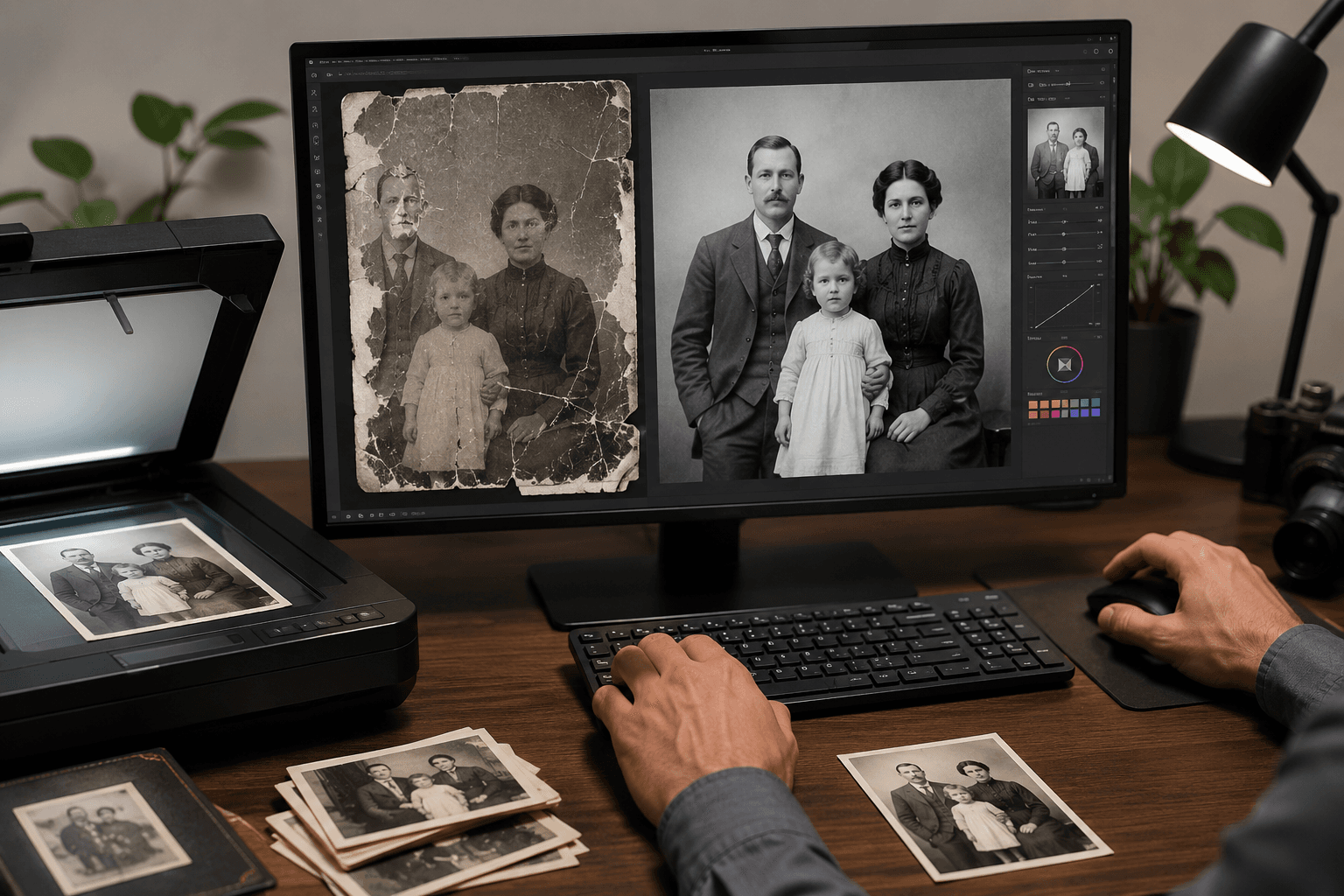
Seven AI photo restoration tools, ranked honestly for family photos — the kind that have water stains, missing emulsion, and a great-grandmother nobody alive can name. What each tool actually fixes, what it leaves alone, and what comes after the fix.
Patrick Moore • May 21, 2026
Comparisons
Remini vs Memory Murals: Which Restores Old Family Photos Better?
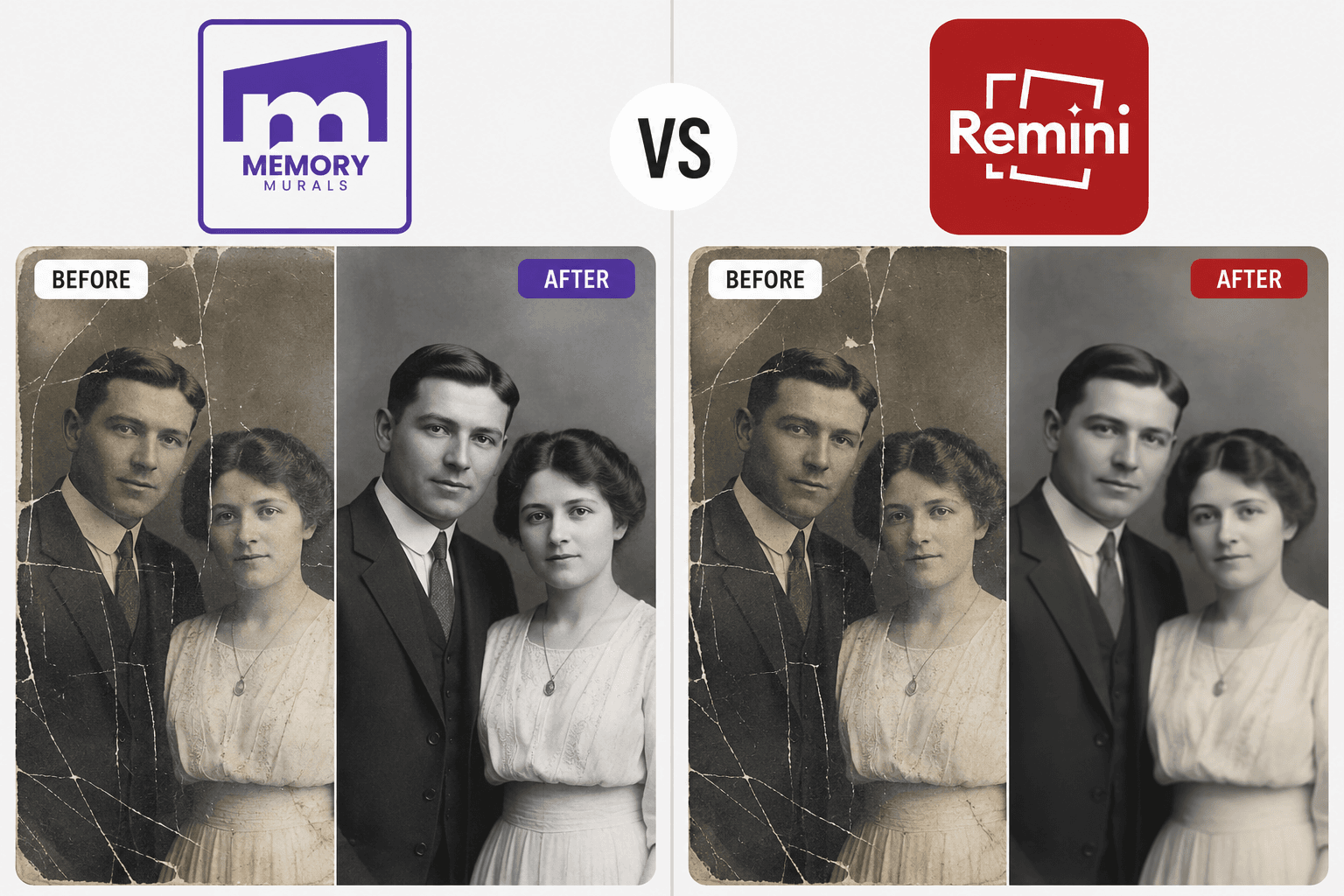
Remini and Memory Murals both restore old family photos — but they're built for different jobs. Head-to-head on five axes: free tier, face quality, black-and-white handling, original preservation, and what happens to the photo after the restoration finishes.
Patrick Moore • May 20, 2026

Insights
How AI Is Changing Genealogy & Bringing Old Family Records to Life
AI is no longer just science fiction; it's a powerful new partner for anyone exploring their family tree. From automatically colorizing black-and-white photos to deciphering faded handwriting on census records, artificial intelligence is revolutionizing genealogy. Discover how these new tools are making family history more accessible and vivid than ever before.
Patrick Moore • August 22, 2026
Preserve your family's memories in one private place.
Start free in minutes. No credit card required.