
Deep Nostalgia Alternatives: What Actually Works in 2026
Deep Nostalgia retired, DeepStory shut down last August, and the link someone emailed you no longer works. Here are the animation tools that actually work in 2026 — and an honest note about what a ten-second clip can and can't do.
The Memory Murals Team • April 23, 2026
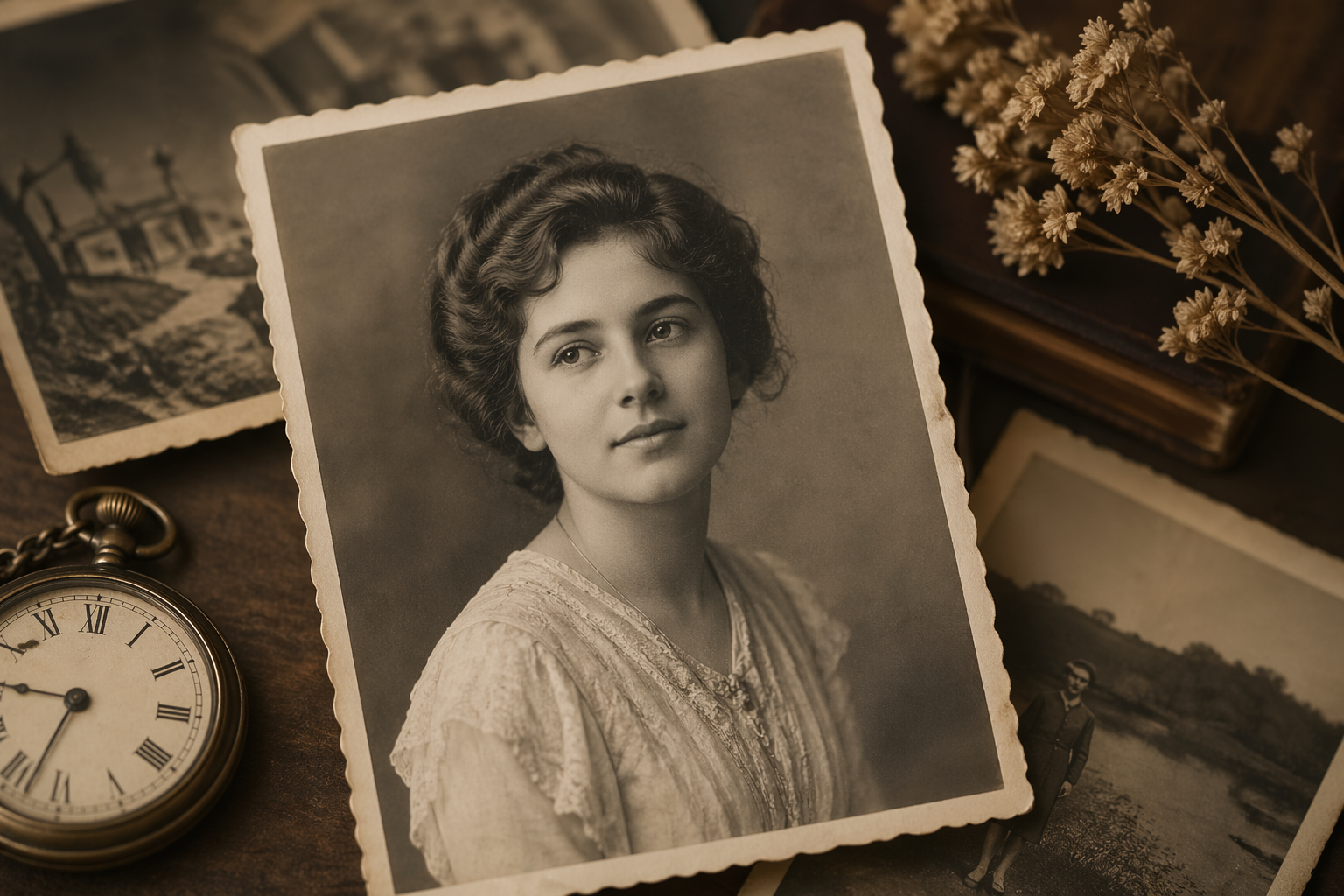
A friend texted me last month with a photo attached. It was her grandmother — gone almost eleven years now — in a black-and-white portrait from the 1950s, maybe a high school picture. "I tried to do the animated thing on MyHeritage," she wrote. "The link is broken. The old one doesn't work anymore. Did they kill it?"
Short answer: yes. And then they killed the replacement, too.
Deep Nostalgia, the viral MyHeritage tool that blew up in early 2021 with twenty million uploads in the first ten weeks, was quietly sunset. Its successor DeepStory — which added a synthesized voice to the animation — was discontinued in August 2025. Meanwhile millions of families who had a treasured clip of a deceased parent or grandparent are now staring at dead links and wondering where to go.
Here's the honest lay of the land in 2026. Some of these tools are good. A few have billing practices that should make you careful. And there's a quieter question at the end of all of this — what are you actually trying to preserve — that's worth about three minutes of your time after you've picked a tool.
The shortcut if you only need one pick
For most people, MyHeritage's current tool LiveMemory is the cleanest drop-in replacement for Deep Nostalgia — same company, same one-click workflow, a few free animations to try, and a reasonable annual plan if you want more. Remini is the best free-tier backup. Everything else in this post is for people who want more control or specific features.
The short history of a tool millions of families used
MyHeritage launched Deep Nostalgia in February 2021 using technology licensed from D-ID, an Israeli AI video company. The result was viral. Families were uploading photos of great-grandmothers, civil-war-era ancestors, and anyone who'd been gone long enough that their living descendants had never seen them move. People cried on TikTok. It was the first time AI animation had made anyone cry for a good reason.
A year later, MyHeritage rolled out LiveStory (later renamed DeepStory) — same animation engine, but now the photo also spoke, using a generated voice reading a script you provided. It was divisive. Some people found it beautiful. Others found it eerie.
In August 2025, MyHeritage discontinued DeepStory entirely. The official statement said "to make way for new and exciting innovations." Existing DeepStories are still downloadable from the MyHeritage mobile app for people who made them, but no new ones can be generated. Deep Nostalgia in its original form is also no longer a standalone product — you'll get redirected to LiveMemory, which is MyHeritage's current photo animation tool.
That's the context for everything below. If someone sent you a Deep Nostalgia link years ago and it's broken now, that's why.
Side-by-side: the tools that work right now
| Feature | Physical | Digital |
|---|---|---|
| MyHeritage LiveMemory | Free trial (a few clips), then $49.90/yr Photo plan (20 videos/yr) — mobile and web | Closest drop-in for Deep Nostalgia fans. Works with old, damaged, or faded photos out of the box. |
| Remini | Free with ads; $9.99/wk or ~$299/yr for Pro (photo enhance + animation) | Enhancing a damaged photo first, then animating. Best overall quality for restored old prints. |
| AliveMoment | Credit-based subscription; weekly/monthly/2-month plans. See warnings below. | Slick demos in ads. Read the billing fine print very carefully before signing up. |
| Runway (Gen-3) | Free tier (125 one-time credits), $12/mo Standard, $28/mo Pro | People who want real control — text prompt the motion, longer clips, photorealistic output. |
| Pika Labs | Free tier (80 credits), tiered paid plans | Faster iterations than Runway, more forgiving with casual photos. DIY-friendly. |
| Kling / Hailuo (honorable mentions) | Tiered credits, free tiers available | Cinematic longer clips. Overkill for a single memorial photo, but notable if you're doing a montage. |
A quick note on the table. Prices move around — AI video tools reprice roughly quarterly. The ranges are stable, but when you click through, double-check the exact number before you give them a card. The big picture is that a Deep Nostalgia-style clip in 2026 is either free (with limits) or costs somewhere between fifty dollars a year and thirty dollars a month, depending on how much control you want.
The official replacement — and still the easiest path
If you're grieving, emotionally tapped, and just want the thing that animates a photo in ten seconds without making you learn a new app, this is it.
LiveMemory launched in November 2024 and has been updated several times through 2025 and into 2026. It produces a 5-second video clip from a single still photo. The motion is subtle — head turns, a smile, eye blinks, sometimes a slight camera push. Compared to the original Deep Nostalgia, LiveMemory is smoother, handles faded and blurry photos better, and offers more animation "effects" you can pick from (hugging, kiss, looking around, etc.) rather than one generic animation.
Works on the web now, not just mobile
The original Deep Nostalgia required the MyHeritage app. LiveMemory runs in a browser at myheritage.com/livememory — you can drag an old photo in from your laptop and be done in under a minute.
Handles old photos gracefully
MyHeritage trained specifically on genealogy-style photos — sepia portraits, faded color prints, scanned documents. The results on a 1920s photograph of a great-grandparent are noticeably better than general-purpose video tools that were trained on modern images.
A few free clips, then reasonable annual pricing
You can try LiveMemory free for a handful of animations. After that, the Photo plan is $49.90/year and includes 20 LiveMemory videos. If you only care about this feature, that's a fair price for a memorial-scale project.
Still just 5 seconds
LiveMemory clips are 5 seconds long. That's fine for a loop, but it's not a "film" of your grandmother. If you want something longer or more directed, you'll need Runway or Pika.
MyHeritage wants to upsell you to the full subscription
The interface steers you toward the Omni plan (DNA + family tree + the works), which is meaningfully more expensive. The $49.90 Photo-only plan is the one most readers of this post want. It exists; just don't get pushed past it.
Honest take: this is the default answer for 90% of people reading this post. If you're the adult child of someone who passed, you want a gentle short clip, and you don't want to evaluate six tools — start here. If the free clips are enough, great. If not, $49.90/year is not an unreasonable ask for a tool that handles your grandmother's 1930s portrait with the specific care it deserves.
The enhance-then-animate play
Remini started as a photo enhancer — unblur a grainy photo, upscale it from 300x300 to 2400x2400, sharpen a faded print. That's still what it does best. The animation feature is newer, added over the past couple of years, and it's genuinely good.
The reason to pick Remini: a lot of old family photos are damaged. Faded. Blurry. Creased. Running those through an animator first, before a human model ever sees them, often produces a worse result than if you'd spent thirty seconds enhancing the photo and then animated the restored version. Remini does both in one app.
The restoration is world-class
For a grandparent portrait that's blurred, faded, or cropped too tight, Remini's enhancement is noticeably better than the restoration you get inside most other tools. The animation then has more detail to work with.
Free tier is usable
Remini's free tier shows ads but will enhance and animate a reasonable number of photos per day. For one or two special photos, you may never need to pay.
The subscription is confusingly priced
Remini shows different prices to different users. Some people see $9.99/week; others see $6.99/week on web. There's no public price list. Read the exact number in the checkout flow before you commit.
Animations are good, not specialized
Remini's animation is perfectly adequate but doesn't have the genealogy-photo-specific training that LiveMemory has. On very old prints, LiveMemory still wins.
If your photo is in good shape already — a crisp high school portrait, a reasonably preserved color photograph — you don't necessarily need Remini. If it's damaged, blurry, or faded, run it through Remini's enhance step first, save the enhanced version, and then animate it in whichever tool you like. The two-step workflow beats any single tool's one-shot output.
The one where you need to read the fine print
AliveMoment has been running heavy ads — Facebook, Instagram, Pinterest — for photo animation, often with emotional hooks like "see them smile again." The actual animation output is competitive. The business practices are where things get uncomfortable, and I'd rather tell you now than have you find out from a surprise charge.
Before you sign up — three things to know
AliveMoment has a 20/100 trust score on Gridinsoft, a pattern of Trustpilot complaints about subscription auto-renewals that charge more than users expected (including reports of $47, $74, and $93 charges beyond the initial signup price), and users describe "lack of transparency" about subscription terms. The animation itself may be fine. The billing requires attention.
To be fair: AliveMoment has satisfied customers too, and the actual animation quality in reviews is reasonable. This isn't a scam in the classic sense — you get the thing you paid for. The pattern is more typical of aggressive subscription-funnel apps: the initial price in the ad is often not the recurring price, cancellation is less obvious than signup, and the renewals catch people off guard.
Ad creatives are effective for a reason
The demos genuinely look good. If you were moved by the ad, the output will likely match what you saw.
Subscription pricing is not flat
Weekly/monthly/2-month plans with different credit counts, and reports that initial promotional pricing is not what you get charged at renewal. Several Trustpilot reviewers report being charged roughly double on the first renewal.
Cancellation friction is a recurring complaint
Multiple reviews describe cancelling and still being charged. This is the single most common complaint pattern. If you do use it, cancel immediately after you've generated your animation and confirm the cancellation in writing via email.
My honest position: for the vast majority of readers, LiveMemory or Remini will produce a comparable result with cleaner billing. I'm not telling you never to use AliveMoment — just use a prepaid debit card with a limited balance if you do, cancel the same day, and save the cancellation confirmation email. This is the advice I'd give a family member, so I'm giving it to you.
For people who want actual control
Runway is not a one-click "bring grandma to life" tool. It's a general-purpose AI video platform used by professional filmmakers, and its image-to-video model (Gen-3) lets you upload a photo and write a text prompt describing the motion you want. "Slowly turn head left, gentle smile, soft breeze in hair." That kind of thing.
Best output quality for photorealistic motion
Among the general-purpose tools, Runway Gen-3 is the most consistent on human faces. Fewer "plasticky" or uncanny artifacts than cheaper tools.
Up to 10-second clips at 1080p
Twice as long as LiveMemory and higher resolution. If you want something you can play full-screen on a TV at a memorial, Runway produces the file for that.
You need to write prompts, and prompts take practice
The difference between a great Runway output and a weird one is usually the prompt. First-timers produce clips where their grandmother looks possessed by something. It takes a few tries.
Credits burn fast
The $12/month Standard plan's 625 credits disappear quickly if you iterate. A single 10-second 1080p Gen-3 Alpha clip is roughly 50 credits — so ~12 good clips per month before you need to upgrade or wait.
Runway is for the one person in the family who's willing to be a bit of a nerd about it and produce something more custom. If that's you, get the Standard plan, burn through the first 125 free credits learning the tool on throwaway photos, and only then touch the real family photo. Pika Labs is a cheaper, faster alternative in the same category — less consistent on human faces, but notably faster to iterate with.
A quick word on Kling, Hailuo, and the rest
The general-purpose AI video space exploded in 2025 and 2026. Kling 3.0 and Hailuo 2.3 are the current frontier — Hailuo in particular has been getting praise for micro-expression quality, which matters a lot for memorial photos. Both have free tiers.
The reason I've put them in honorable mentions rather than the main roundup: they're overkill for a single-photo memorial clip, and they require more technical comfort than most families want. But if you're planning a montage — a 60-second tribute video stitched from multiple animated photos, music, and transitions — one of these is probably the right engine for it. Pair with a simple video editor like CapCut to stitch.
If that's where you're headed, I'd also suggest reading our post on voice recording books for grandparents first. Because a memorial video with voice narration hits differently than one with just visuals and music, and the voice is almost always the missing ingredient.
The thing a ten-second clip won't give you
Here's where I have to be honest with you, because I've watched enough families go through this to think the roundup by itself is incomplete.
You will animate the photo. You will see her almost-smile, almost-blink, almost-look at you. It will hit hard the first time. It will hit softer the second time. By the fifth time, you will realize that the animation is not actually your grandmother. It's a reasonable AI's guess about what motion a still image of your grandmother might have contained.
That's not a knock on the tools. The tools are doing exactly what they promise. It's a truth about what animation is and isn't.
What a 5-second animated clip gives you: a cosmetic reminder. A flicker of movement. Something to set as a Live Photo on your lock screen, or play at a memorial, or text to a cousin who also misses her. It's real. It's worth doing.
What a 5-second animated clip cannot give you:
- Her actual laugh
- The specific way she said your name
- The joke she told every single Christmas
- Her opinion on your new apartment
- The thing she always said when you were upset
- The story about how she met your grandfather that only she knew
- Why she hated the neighbor in 1974
- The recipe she never wrote down because "you just know"
Those things either exist in recordings somewhere — voicemails, home videos, answering machine tapes — or they don't exist anywhere, because nobody pressed record while she was still here.
The honest verdict
Animate the photo — it's meaningful, it takes five minutes, and it brings a specific kind of comfort. But if the grief of seeing her move again is hitting you, let that same grief send you toward the bigger project: capturing the voices and stories of the people you still have, while you still have them. That's the work that actually lasts. The animation is the postcard. The voice recordings are the archive.
There's a reason the thing that made Deep Nostalgia viral was the emotional reaction, not the technology. The tech was OK. What hit people was suddenly seeing someone they'd lost look alive for a second. If you want that feeling to come back to you in twenty years, the thing that produces it is not a slightly better animation — it's an actual recording of an actual voice telling an actual story.
We wrote a whole guide on how to record your grandparents' stories for the people ready to take that next step. And if someone you've lost left a voicemail that still plays when you dial their number, there's a narrow window where you can save that voicemail before the carrier deletes it — do that first; everything else can wait.
A soft suggestion, if the animation hit you hard
If animating a photo of someone you've lost has been emotional — and it usually is — treat that feeling as information, not just a feeling. It's pointing at something.
The thing it's pointing at is almost always this: there are other people in your life right now whose voices, stories, and unrecorded history are going to be in the same position someday. Not a morbid thought. Just a true one. Your mom. Your dad. The grandparent you still have. An aunt with the family stories nobody else knows. Someone you've been meaning to call.
If you've got the time and the emotional bandwidth this week, we wrote a practical guide for what to do with the pile of unlabeled family photos nobody in your family ever wrote names on. It's a one-Saturday project with the oldest living person in your family, a shoebox, and a phone set to record audio. That Saturday is, honestly, a more valuable artifact than any AI-animated clip will ever be — because when that person is gone, you have the audio. You have the names. You have the context.
That's also why Memory Murals exists. Not as "an alternative to Deep Nostalgia" — we don't animate photos. We're a private family archive where voice recordings, stories, photos, and the context that explains them live in one place, organized so your family can actually find them thirty years from now. No ads. No public feed. No algorithm. Just the things worth keeping, kept.
Related reading: what happens to your photos when you die — the full case for why the cloud accounts most families use today will not pass cleanly to the next generation, and what a real archive should look like.
Frequently asked questions
Is Deep Nostalgia coming back? No. The original Deep Nostalgia product has been folded into LiveMemory, MyHeritage's current photo animation tool. Existing animations you generated years ago may still be viewable in your MyHeritage account or downloadable from the mobile app, but the standalone Deep Nostalgia experience is not being restored. DeepStory, the voice-enabled version, was permanently discontinued in August 2025.
Is LiveMemory really free? MyHeritage offers a limited number of free LiveMemory animations to every user — enough to try it and, for many families, enough to animate one or two special photos without paying. Beyond the free quota, the cheapest option is the $49.90/year Photo plan, which includes 20 LiveMemory videos annually. There is no standalone per-animation pricing.
Can I animate a photo for free without creating an account? Not reliably. Every serious tool in 2026 — LiveMemory, Remini, Runway, Pika — requires an account. Pika and Runway have free tiers with real credits. LiveMemory has free trial animations. None of them let you fully avoid signing up.
Will any of these tools add a voice to the animation, like DeepStory did? Not in the exact way DeepStory did. The feature DeepStory offered — reading a script with a synthesized voice matched to the photo — is not currently available as a one-click product anywhere. Runway and Pika can do this manually if you provide a voice track, but there's no consumer-simple equivalent to the retired DeepStory feature.
Is it weird to animate a photo of someone who's passed? Only if it feels weird to you. Different people in the same family often react very differently to the same animation. For some, it's comforting. For others, it crosses into the uncanny valley and they'd rather remember the person from the still photo. Both reactions are normal. If you're unsure, animate the photo privately first before sharing it with grieving relatives — not everyone wants a surprise animated clip of someone they're still mourning.
The closing beat
Deep Nostalgia is gone. The link in that old email doesn't work anymore. But the tools in 2026 are, genuinely, better than what killed them — LiveMemory handles old photos with more care, Remini restores damaged prints first, Runway and Pika give real creative control to people who want it.
Pick one. Animate the photo. Let yourself feel whatever you feel when you see her blink.
And then — this is the part that matters more — go find a quieter hour this month with someone you still have. Record their voice. Ask them about the photo. Save the recording somewhere real.
The animation is a postcard. The recording is the archive. Make both.
Ready to start the part that actually lasts? Try Memory Murals free → — a private family archive for the voices, stories, and photos worth keeping for thirty years, not ten seconds.
Related Stories
How to Save a Deceased Loved One's Voicemail Before It's Gone Forever
Your phone carrier is counting down to the day your loved one's last voicemail disappears forever. Most families don't know this until it's too late. Here's exactly how to save it — on iPhone and Android — before the clock runs out.
The Memory Murals Team • April 19, 2026
Voice Recording Books for Grandparents: What Actually Works (and What Feels Gimmicky)
A voice recording book can turn a grandparent's storytelling into something your kids will actually hear someday. But there's a wide gap between the gimmicky ones and the ones that really work. Here's what to look for.
The Memory Murals Team • April 14, 2026
What Happens to Your Family Photos When You Die?
When someone dies, their iCloud, Google Photos, and social media don't transfer to family. One woman spent three years fighting Apple for her husband's wedding photos. Here's what actually happens to your digital memories — and how to make sure your family never loses them.
The Memory Murals Team • April 8, 2026