
What to Do with Your Parents' Photo Collection
A practical, emotionally honest guide for going through your parents' photo collection — whether you're cleaning out a house after a death, helping a parent downsize, or staring at the boxes for the third weekend in a row. What to keep, what to let go, what to scan first, and how to forgive yourself for the parts that hurt.
The Memory Murals Team • April 28, 2026
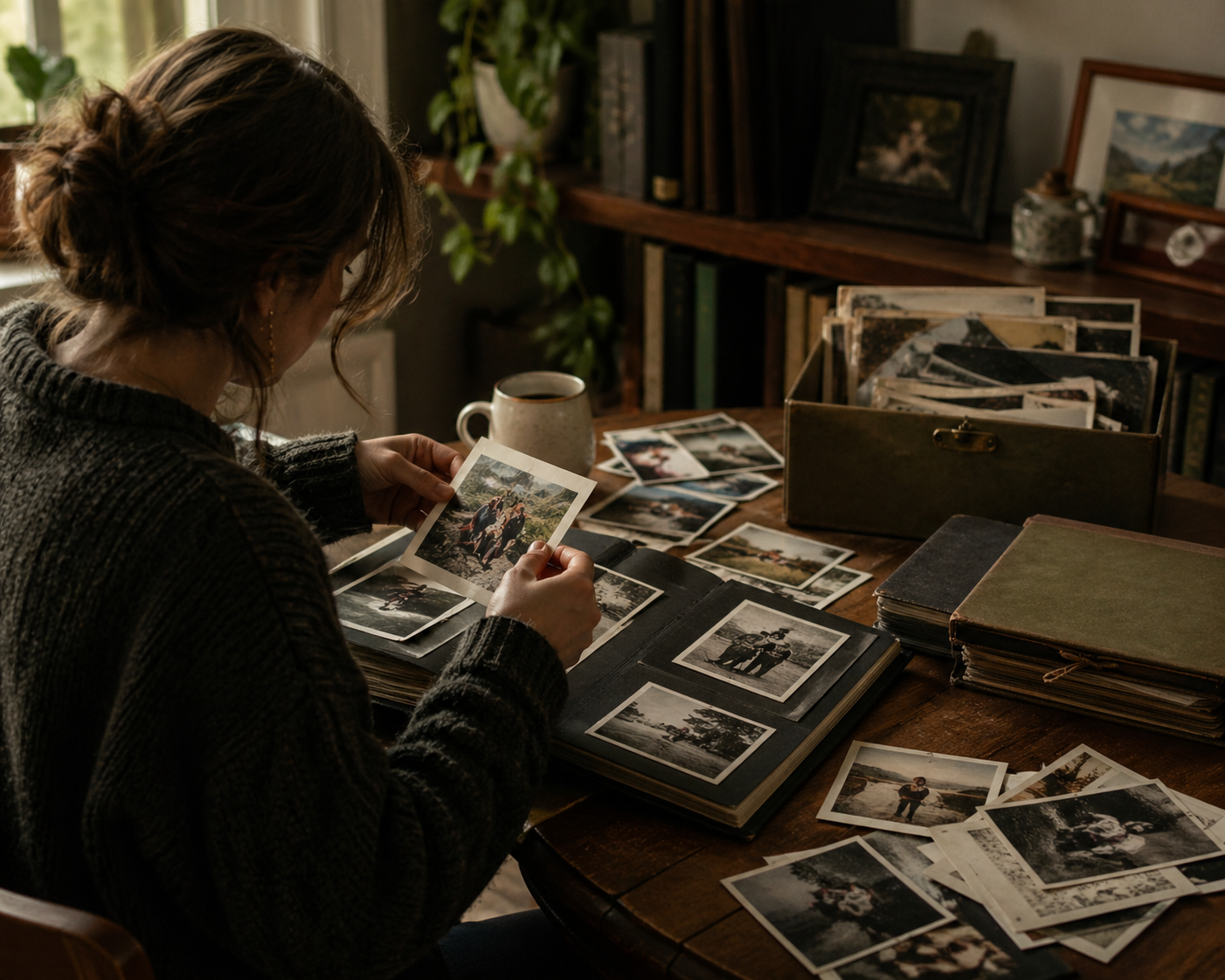
You're standing in your parents' hall closet, or your mom's basement, or a storage unit nobody's opened in eighteen years. There are boxes. Some are labeled in your mother's handwriting and some aren't labeled at all. You opened the first one and pulled out a wedding photo of someone you don't recognize, and a school picture of yourself in a sweater you'd forgotten about, and a Polaroid of a dog you never met.
You closed the box and went to make coffee.
We've been there. Most of us end up there twice — once helping our parents downsize, once after they're gone. Both versions are hard. The boxes don't get less heavy.
Here's the version of this guide we wish someone had handed us: gentle, opinionated, practical, and written from the assumption that you're not failing if you can't get through a box in one afternoon.
Before you open the first box
This will take longer than you think. That's not a sign you're doing it wrong. The reason it takes long isn't the photos — it's the time-traveling your brain does every few minutes. Plan for less in a day than you think you can manage. Bring water. Don't do this alone if you can help it.
You don't have to keep everything.
That sentence might land like a relief or a knife, and either reaction is valid. There's a quiet pressure when you're sorting your parents' lives that says every photo I let go of is a betrayal. It isn't. Your parents weren't archivists. They kept what they kept partly on purpose and partly because no one threw anything away in 1986. Most photo collections from a generation ago are largely genuine memory mixed with a good deal of accumulated paper. Your job is not to preserve all of it. Your job is to find the keepers and give them a real home.
The people in those photos who are still alive can tell you what mattered. The people who aren't, mostly already showed you — by how often the photo got pulled out, where it lived in the house, whose face was framed and whose was in the album.
Most estate organizers and photo managers we've talked to use some version of a four-pile system. We've adapted it warmer. Set up four physical piles (or four labeled boxes if your knees aren't up to the floor):
The treasures
The genuinely irreplaceable. The few-dozen photos that ARE the family — a wedding day, a baby's first weeks, your grandmother's only photo of her own mother, the candid that captured exactly who someone was. These are the ones you'd grab if the house was on fire. Aim for ~30–80 photos here. If you have 400 in this pile, you haven't sorted yet.
The wider record
The broader family story — vacation shots, holidays, school pictures, the everyday photos that paint the texture of a life but aren't individually irreplaceable. This is the bulk of most collections. Hundreds, sometimes thousands, of photos.
To distribute
Photos that belong to someone else more than they belong to you. Your sister in her wedding dress. Your cousin's college graduation. The neighbor's kid who lived next door for fifteen years. Don't keep these out of guilt. Mail them. Hand them over. Most people are quietly delighted to receive a photo of themselves they didn't know existed.
To let go
Duplicates (estate collections often have 4–6 copies of the same shot). Blurry or out-of-focus shots that aren't artistic. Photos with no context where you have no idea who's in them and no one alive can tell you. Photos of strangers. The recycling bin is a legitimate destination, and it doesn't make you a bad person.
Hundreds to thousands
Photos in a typical inherited collection
Across all formats — prints, slides, negatives, albums. The number is almost always larger than you expect.
A large share
Duplicates and blurry shots
Much of a typical collection. The 'let go' pile is bigger than the keep pile by design.
A few dozen
Truly irreplaceable photos
Most families end up with a modest handful in the 'treasures' pile after a careful sort. Anything more usually means the sort isn't done yet.
The trap with photo sorting is trying to do it linearly — open box one, finish box one, open box two. That's how people stall. By the third afternoon they're staring at a half-sorted box and the energy is gone.
The better approach is faster, scrappier, and counter-intuitive: sort by gut speed, not by careful examination. The careful examination comes later, on the smaller pile.
Round 1 — The fast pass (most of your time)
Pick up each photo for no more than 3–5 seconds. If your gut says "treasure," it goes in pile 1. If your gut says "I have no idea who this is," it goes in pile 4. Don't deliberate. Don't read the back. You're triaging, not curating. A 600-photo box should take about an hour at this pace, not a weekend.
Round 2 — The wider record
Once you've pulled the obvious treasures and the obvious lets-go, what's left is mostly the wider record. Sort it loosely by decade or by person. Don't try to sub-categorize beyond that on the first pass — "1980s, mom's side" is enough.
Round 3 — Identify the strangers
Make a small "who is this?" pile. We've written before about the box-of-strangers problem — the longer you wait to ask the people who would know, the more impossible identification becomes. Take a phone photo of each unidentified picture and text the older relatives in your family group chat. Most will respond within a day. The ones nobody can identify go in the "let go" pile, gently.
Round 4 — Pick what to scan, not what to keep
Scanning everything is a fantasy that kills more sorts than any other single decision. You don't need to scan the wider-record pile right now. You need to scan the treasures. If you ever come back to scan more later, great. If you don't, the treasures are still safe.
Round 5 — Distribute, don't ask first
For the photos that belong to other people: mail them. Don't text "do you want this?" first. People will say no out of politeness when they would have said yes if it had simply arrived. Send a short note: "Found this going through Mom's stuff. Thought you should have it. No need to keep it if it doesn't speak to you."
Round 6 — Sit with the let-go pile for one night
Before you recycle, leave the let-go pile out overnight. Walk past it a few times. If something jumps out — a face you suddenly recognize, a date that means more than you thought — pull it back. Then let the rest go without a ceremony.
Once you have your treasures pile (and ideally the wider record at least loosely sorted), the real preservation work begins. This is where most families either build something durable or quietly abandon the project.
The right move depends on how many keepers you have and how soon you want them safe.
| Feature | Physical | Digital |
|---|---|---|
| The treasures (~30–80 photos) | Scan all of them in one focused weekend | At minimum: take a phone photo of each so a digital backup exists today |
| The wider record (hundreds) | Scan a representative slice — milestones, decades, key people | Store the originals in a single labeled archival box and leave the rest for later |
| The originals | Acid-free storage box, cool dry place, away from sunlight | Same. The originals are still the long-term backup; don't toss them after scanning. |
| Where digital copies live | Two locations, one of them not tied to your daily phone account | Two locations, one of them not tied to your daily phone account |
| Sharing with siblings | One shared family archive everyone can add to over time | A shared cloud folder works short-term but tends to drift |
The treasures (~30–80 photos)
- PhysicalScan all of them in one focused weekend
- DigitalAt minimum: take a phone photo of each so a digital backup exists today
The wider record (hundreds)
- PhysicalScan a representative slice — milestones, decades, key people
- DigitalStore the originals in a single labeled archival box and leave the rest for later
The originals
- PhysicalAcid-free storage box, cool dry place, away from sunlight
- DigitalSame. The originals are still the long-term backup; don't toss them after scanning.
Where digital copies live
- PhysicalTwo locations, one of them not tied to your daily phone account
- DigitalTwo locations, one of them not tied to your daily phone account
Sharing with siblings
- PhysicalOne shared family archive everyone can add to over time
- DigitalA shared cloud folder works short-term but tends to drift
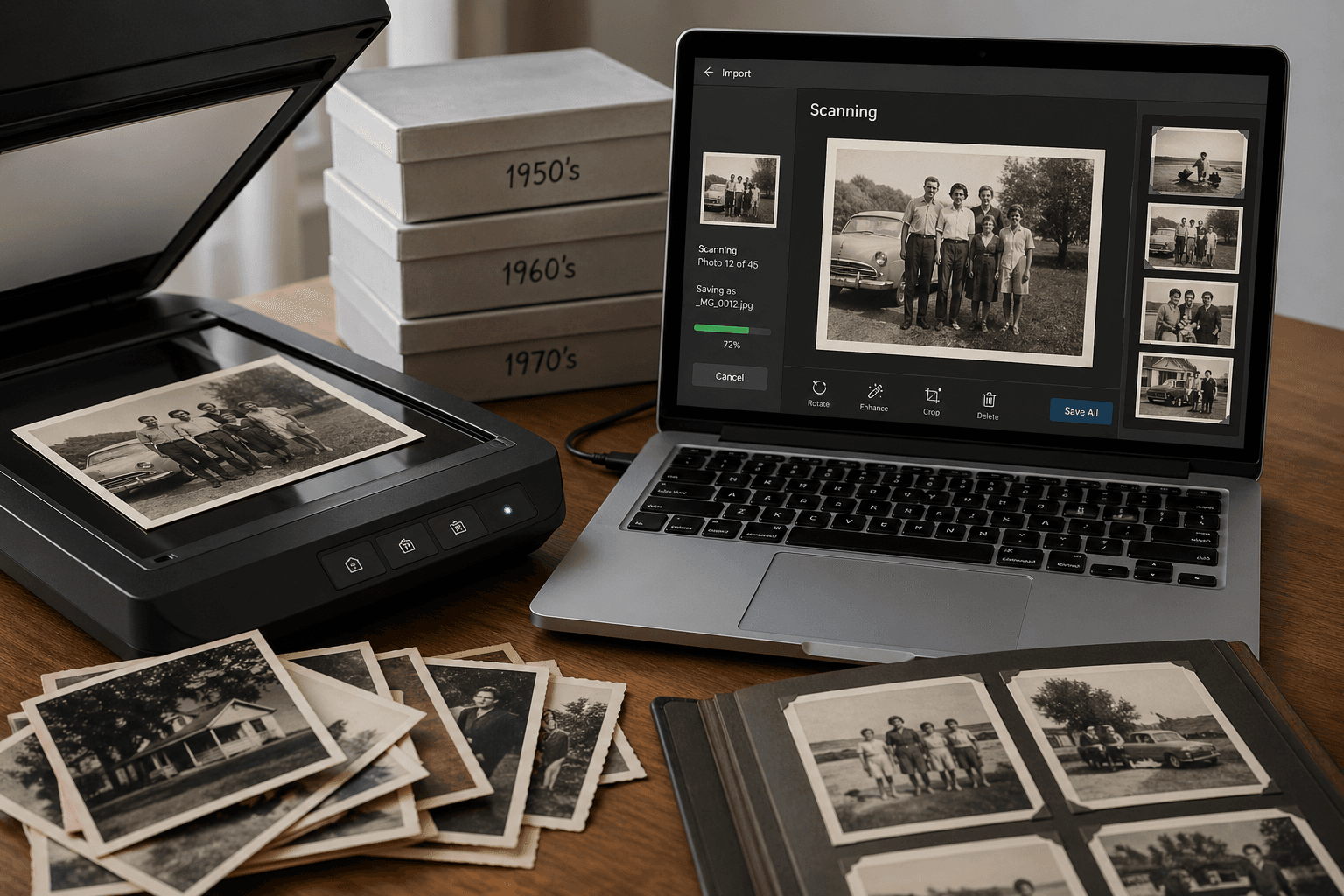
If you do decide to scan the treasures pile (and we'd encourage you to — that's the pile that makes scanning worth the afternoon), we wrote up a practical guide to digitizing old photos at home that covers phone-app vs flatbed vs mail-in services. The short version: phone with Google PhotoScan handles the vast majority of cases for free.
Whatever you do, please don't let the digital copies live only on the phone you used to scan them. The pattern we use — and recommend to families doing this for the first time — is a two-location backup with at least one offline copy. One cloud sync is a copy, not a backup, and the only digital photo of your mother's wedding deserves better.
There are categories of photos that don't fit the four-pile framework cleanly. They deserve their own consideration.
Photos of someone you lost recently
These hit harder than you expect. A casual snapshot of your dad making toast can stop you cold for an hour. Don't try to power through them on the same day as the rest. Pull them aside in their own envelope and sort them in a separate session, with someone, when you're more rested.
Photos from a former relationship of theirs
Especially after a divorce — your mom in her first wedding dress, your dad's college girlfriend, the parents of an ex-spouse. Don't throw these away on instinct. They mattered to your parent at the time, and they may matter to a half-sibling, an old friend, or your parent's adult children later. Box and label, decide later.
There's also the harder version: photos of someone who hurt your parent, or hurt you. A relative who shouldn't have been around children. An estranged family member. A stepfather who didn't deserve being in any frame. You don't have to keep these. You don't owe family history a permanent slot for someone who damaged the people in it. We say this because nobody else seems to: it's okay to recycle the photo of the person who shouldn't have been there.
If you're not the one in the kitchen with the boxes
Maybe you're helping a sibling who's doing the bulk of the sorting, or you live across the country and you're getting photo texts at midnight asking "do you want this one?" Two things help: ask them to send you the wider-record photos in batches of 20, not one at a time. And tell them clearly which decade or person you most want — they'll over-include in your direction if they know your priorities, and that's much better than them guessing. The person doing the physical sort is doing the harder job. Make their job easier by making your asks specific.
And if the photos you're missing are in an aunt's closet or a cousin's garage rather than your parents' house, here's how to ask family members for old photos so that something actually arrives.
Sorting your parents' photos is, quietly, one of the seven or eight ways people memorialize a parent. We wrote a longer piece about the seven ways that actually last — the photo-sorting weekend belongs on that list more than people give it credit for.
You're not just sorting paper. You're spending eight hours pulling your mother's life into the present tense. The version of her in her thirties you never met. The dog from the photo on the fridge that died before you were born. The aunt who used to make pancakes. By the end of it you know your parent in a way you didn't before, even if it costs you a Tuesday night.
That's worth saying aloud, because most guides skip it. The work of sorting is itself memorial. The treasures pile is the artifact. But the eight hours, alone or with siblings, is the ceremony. You can do this once and it counts.
Once you have the treasures scanned and the wider record stored, the question becomes: how do you make sure the work you just did doesn't get lost in a "Mom's photos" folder nobody opens for fifteen years?
This is where most families' efforts evaporate. The scans live somewhere safe but inaccessible — buried in iCloud, on an external drive in a closet, in a Google Photos library that gets crowded out by the kids' soccer games. The point of preservation is access, not just storage.
We built Memory Murals partly because of exactly this problem. We wanted a private place — not a feed, not a social network, not ad-supported — where a family could put scanned photos, voice recordings, captions, and stories together, organized by the person and the era, so that twenty years from now your kids and their kids can actually find the photo of great-grandma and the story behind it. The scans are the easy half. Giving them context — who's in them, what year, what the moment was — is the half that makes them survive.
If some of the treasures are damaged — faded, scratched, water-stained from a basement flood — restoration is the step between scanning and preserving them with the story. We wrote about what to do with restored old photos, which is the gap most families fall into after the scanning is done.
If you're not sure where to start once you have the keepers digitized, we put together five gentle ways to start a family archive — none of them require a weekend or a system overhaul. They're meant for the version of you who has just spent eight hours in a closet and is, understandably, tired.
The shortest version, if you only read this part
You can keep some. You can let some go. The four-pile sort works. Scan the treasures, store the wider record, distribute what belongs to others, recycle the rest without guilt. Don't try to scan everything. Don't keep duplicates out of obligation. Don't sort grief-photos on the same day as everything else. And whatever you preserve, give it a home where someone might actually find it again — not just a folder named "Mom" on a hard drive in a closet.
FAQ
How long should this take?
A large inherited collection takes most people a full day or two of focused work, spread over several sittings. The fast-pass round is the bulk of it. Plan for less per day than you think you can handle — three hours feels short until hour two, when you start hitting the photos that stop you cold.
What if my siblings disagree about what to keep?
The most common conflict isn't what to throw away — it's what to share. Make duplicates of the genuine treasures. Modern phone-scan apps make this trivial — you can give every sibling a digital copy of the wedding photo and someone can keep the physical original. The let-go pile rarely causes fights. The treasures pile sometimes does, and the answer is almost always: scan it, share the scan, decide later who keeps the paper.
Is it disrespectful to recycle photos?
No. The cultural pressure to keep every paper photo is recent — your grandmother almost certainly threw away thousands of photos in her lifetime without thinking about it. Photos are a record, not an obligation. The question isn't "do I owe this photo respect?" — it's "does keeping this serve anyone alive or anyone yet to come?" If the answer is no, recycling is the right move.
What about slides and negatives?
Slide and negative collections are usually far lower-priority than print collections. The slides nobody pulled the projector out for in 30 years are unlikely to be the irreplaceable ones. Sort them with a quick magnifier or hold them up to a window during your fast pass. Treasures get scanned (a flatbed with a transparency adapter, ~$250, or a mail-in service). The rest can be boxed and revisited only if you ever feel pulled back to them.
What do I do if there's something I can't bring myself to throw away but don't want to look at?
Box it, label it ("Dad — first marriage" or "Photos I'm not ready for"), and put it on the shelf. Future-you will be ready for the decision in a year, or five, or never — and any of those is a fine outcome. The estate doesn't need to be fully resolved this weekend. Some boxes are allowed to wait.
Where do the digital copies actually go after I've scanned them?
Anywhere private, organized, and not dependent on a single account login. iCloud and Google Photos are fine as one of two backup locations — they're terrible as the only one. The minimum is two locations with one of them offline (an external drive in a drawer counts). For the families who want a more lasting solution, Memory Murals is what we built — a private archive designed specifically for keepers like these, with audio captions and a timeline that doesn't get drowned out by a thousand soccer photos.
The boxes will still be there next weekend. The work is allowed to take time. You're not failing if you can only do an hour at a sitting, and you're not failing if the let-go pile is bigger than the keep pile, and you're not failing if you sit on the floor of a closet for forty minutes holding a single photo and not sorting anything at all.
What you're doing is hard. It's the kind of hard that gets less visible the longer you wait, but the photos don't get lighter, and the people who could tell you who's in them don't get younger. The best version of this project is the one that happens in pieces, gently, with someone if possible, and with permission to let some of it go.
Ready to give the keepers a real home? Try Memory Murals free →
Get 50 questions to ask your parents — before the stories are gone
The exact prompts families use to draw out the stories nobody ever wrote down. Free, straight to your inbox.
No spam. Unsubscribe anytime.
Related Stories
How-To Guides
How to Digitize Old Photos at Home in 2026 (No Scanner Required)
A practical, no-fluff guide to turning a shoebox of old family photos into a digital archive — using just your phone, a flatbed scanner, or a mail-in service. Real tradeoffs, no jargon.
Patrick Moore • April 28, 2026

How-To Guides
What to Do With All the Old Family Photos Nobody Labeled
There's a shoebox on a closet shelf with hundreds of photos of people nobody alive can fully name. Your mom knows who most of them are. She won't, forever. Here's how to fix it this month — before the only memory that still knows goes quiet.
Patrick Moore • April 22, 2026

How-To Guides
How to Organize Family Videos: A Step-by-Step Guide to Digital Archiving
Overwhelmed by decades of home movies on phones, tapes, and hard drives? This guide provides a clear, step-by-step process to gather, digitize, and organize your family videos. Learn how to create a lasting digital archive that's easy to navigate, safe from loss, and ready to be enjoyed.
Patrick Moore • September 21, 2026
Keep what's left of their voice.
A private place for the recordings, photos and stories — no feed, no algorithm, nobody else's eyes on it.